Inpaint Canvas: Krita-Style Layered Inpainting Inside ComfyUI
A new custom node turns ComfyUI into a layered paint program: selections, SAM-assisted picking, inpaint round trips, filter layers and PSD export in one editor.
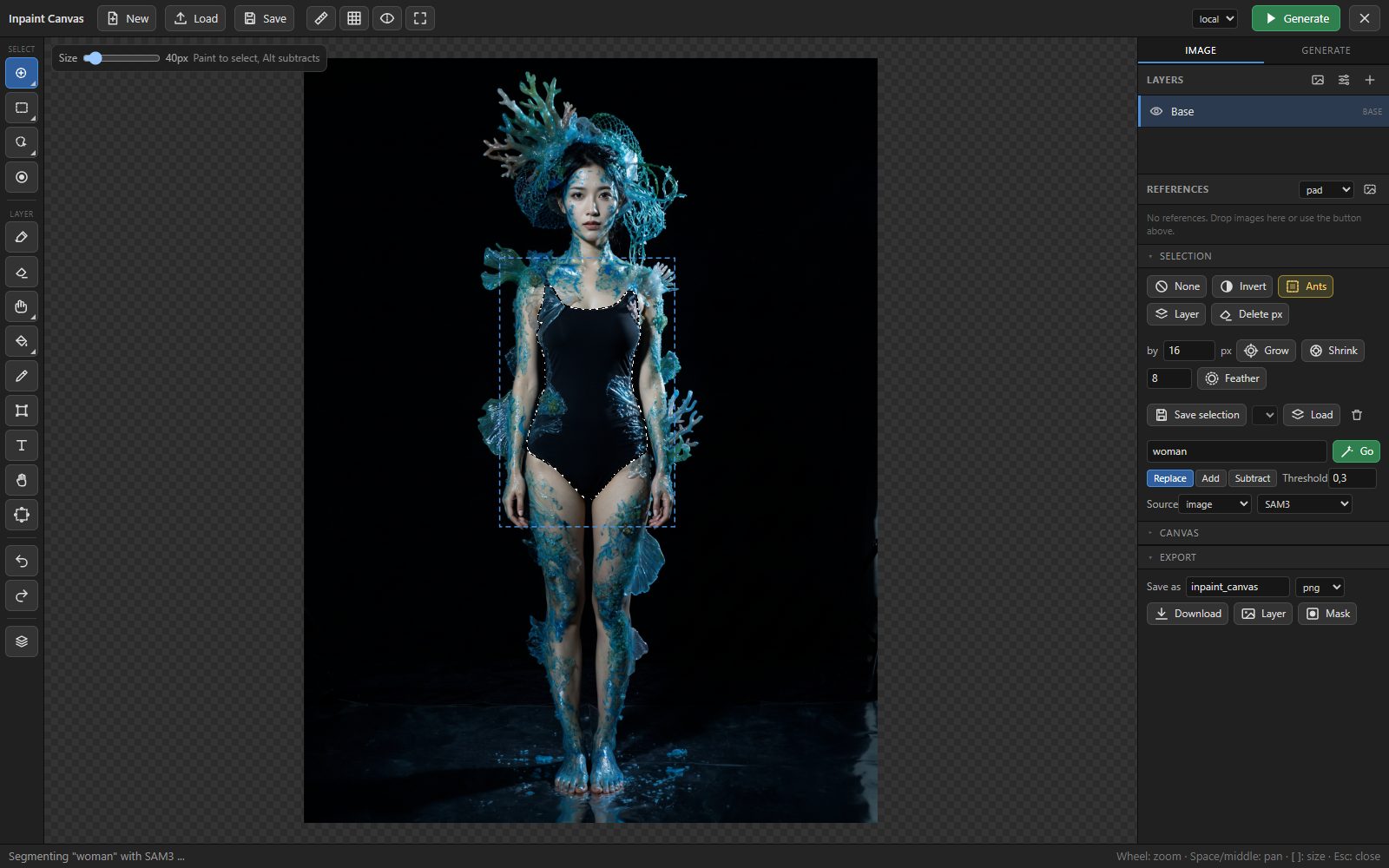
The full-window editor: image, layers, selection and prompt live in one node, with Photoshop-style grouped tools and flyouts.
The inpaint round trip
Most ComfyUI inpainting loops bounce between masking, cropping, sampling and compositing nodes, and the context switches add up. Inpaint Canvas collapses that loop: paint or pick a selection, type a prompt, press Generate (Ctrl+Enter). The selected region is sent out as crop_image and crop_mask, processed by whatever inpaint chain you wire in, and the stitched result returns as a new layer in the same editor. The node handles context sizing and feathering from the selection size, plus colour matching and alignment when the result is stitched back, and it accepts any result size without distortion.
Both local and API chains work. A built-in API/Local switch with two result inputs lets a paid API node stay idle while you work locally.
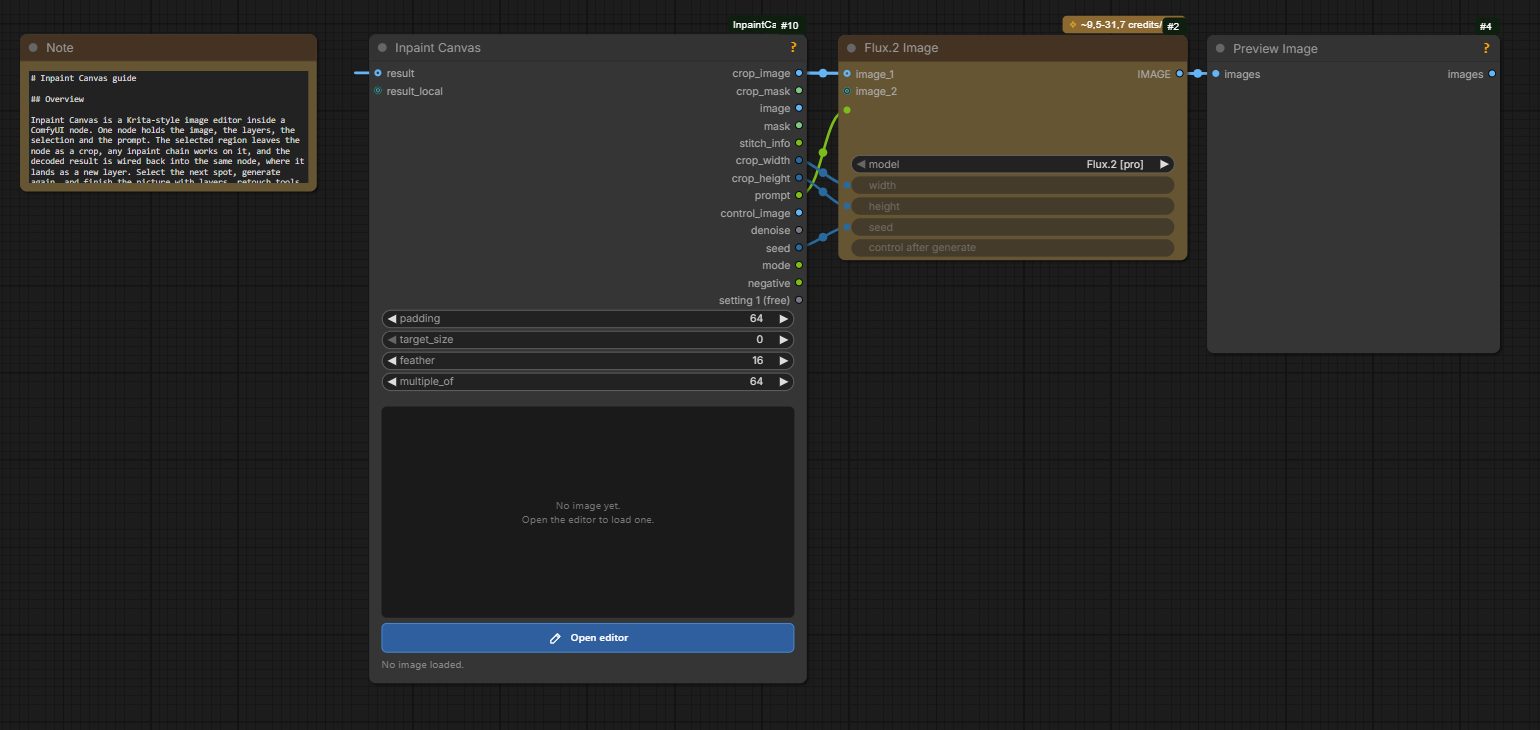
The Flux.2 API example: crop_image, prompt and dimensions go into ComfyUI's Flux.2 Image node, the result returns into the editor as a new layer.
Selection like a paint program
Selection tools go well beyond the usual mask brush: brush with loop closing, rectangle, ellipse, lasso and polygon, quick mask with grow/shrink/feather, and saved selections with marching ants. For object picking it leans on segmentation models:
- Select by hovering with SAM2 (Kijai's ComfyUI-segment-anything-2)
- Select by text with SAM3 via comfyui-rmbg, or GroundingDINO + SAM as a fallback
Each optional node pack enables one editor feature, and the editor lists only the backends that are installed. The core node itself has no extra Python dependencies beyond what ComfyUI ships.
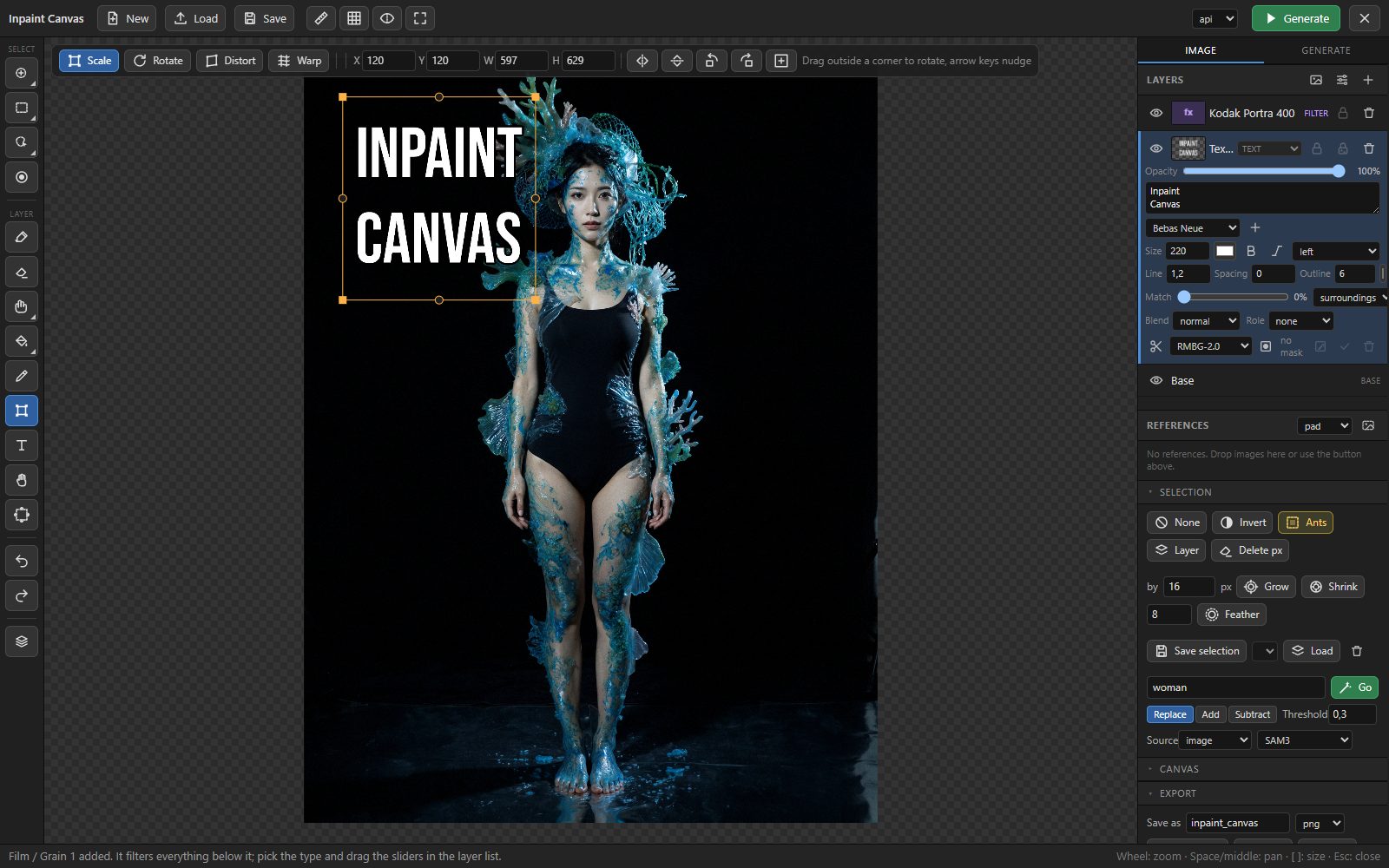
A real layer stack, not a mask list
Layers behave like a desktop image editor: thumbnails, rename, drag to reorder, duplicate, merge down, lock and alpha lock, solo, blend modes, per-layer colour match, masks and cutouts through RMBG nodes, and Ctrl+click to pick the layer under the cursor. Everything is undoable. Painting tools include soft brush and eraser with pen pressure, clone stamp, healing brush, gradient, smudge and text layers with 17 bundled open-source fonts. Transform covers move, scale, rotate, distort and warp, plus a canvas tool that extends the frame for outpainting or crops it by dragging.
Filter layers finish the picture non-destructively: film grain with 46 stock presets and real grain plates, levels, curves, sharpen, blur, hue/saturation, colour balance, LUT (.cube) files and vignette, all maskable.
Reference layers add multi-reference editing for Flux.2 / Kontext workflows: drop images onto the canvas, switch a layer to reference, and it travels with crop_image as an extra batch image. Prompt upsampling runs locally through Qwen3-VL 2B (or Gemini), tuned per use case with edit instructions for Flux.2 / Kontext by default and fill, add, remove or outpaint descriptions as alternatives.
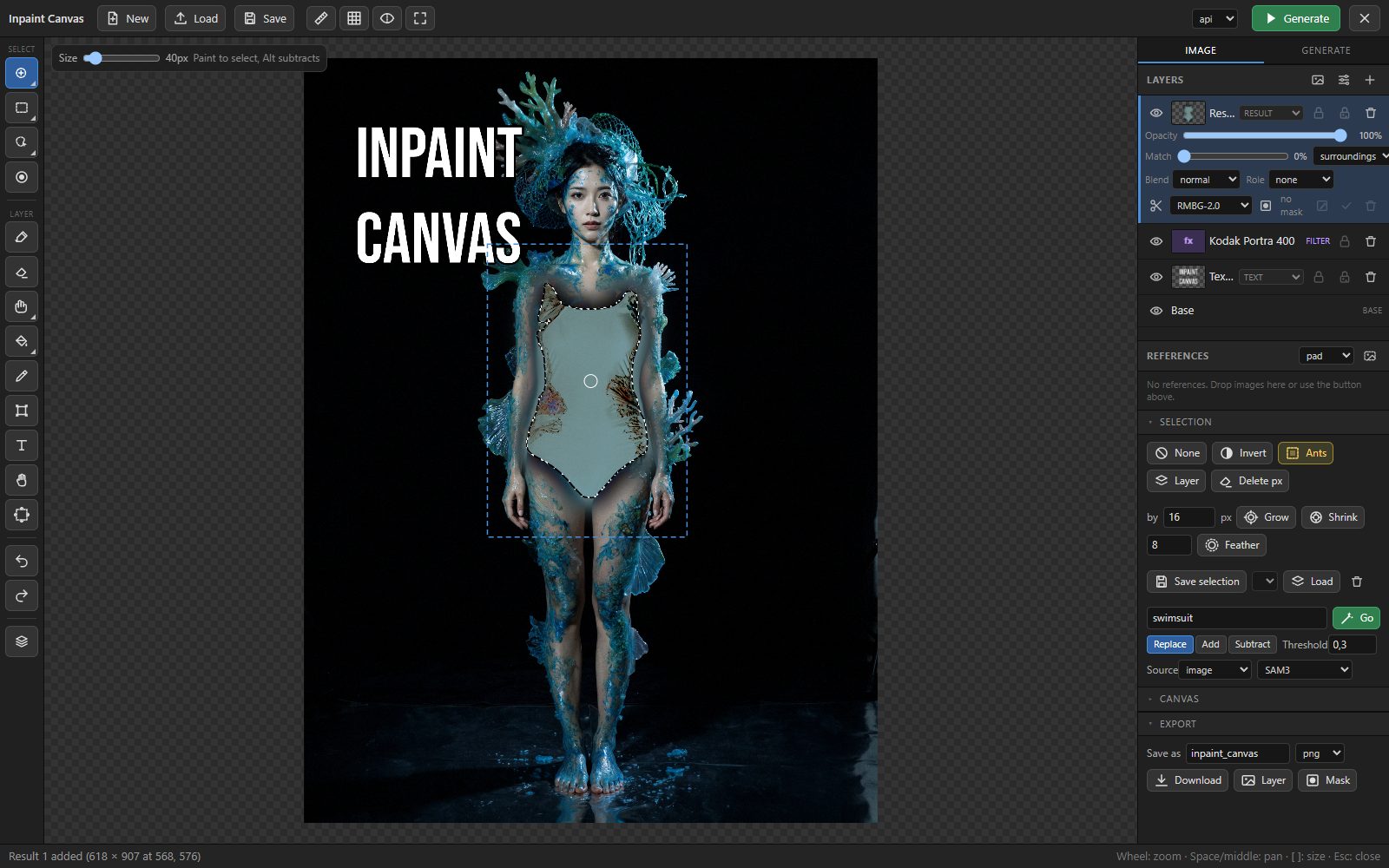
Export
Results export as PNG with the workflow embedded, JPEG or WebP, and as layered PSD or ORA files for Krita and GIMP, plus the active layer or the selection mask on its own. The node's working files can be cleaned up from inside the editor.
Availability
Install by cloning DenRakEiw/ComfyUI-InpaintCanvas into ComfyUI/custom_nodes/ and restarting. A 3-minute video tutorial and a compact English manual (GUIDE.md) are in the repo.
Comments
Sign in with GitHub to join the discussion.