Viggle-Animate: H3 Character Replacement From a Single Repainted Frame
Viggle-Animate is a 33.1B finetune of MiniMax H3 ref2va with DMD distillation that swaps video characters from one repainted frame, 3 forward passes, 26 seconds per clip.
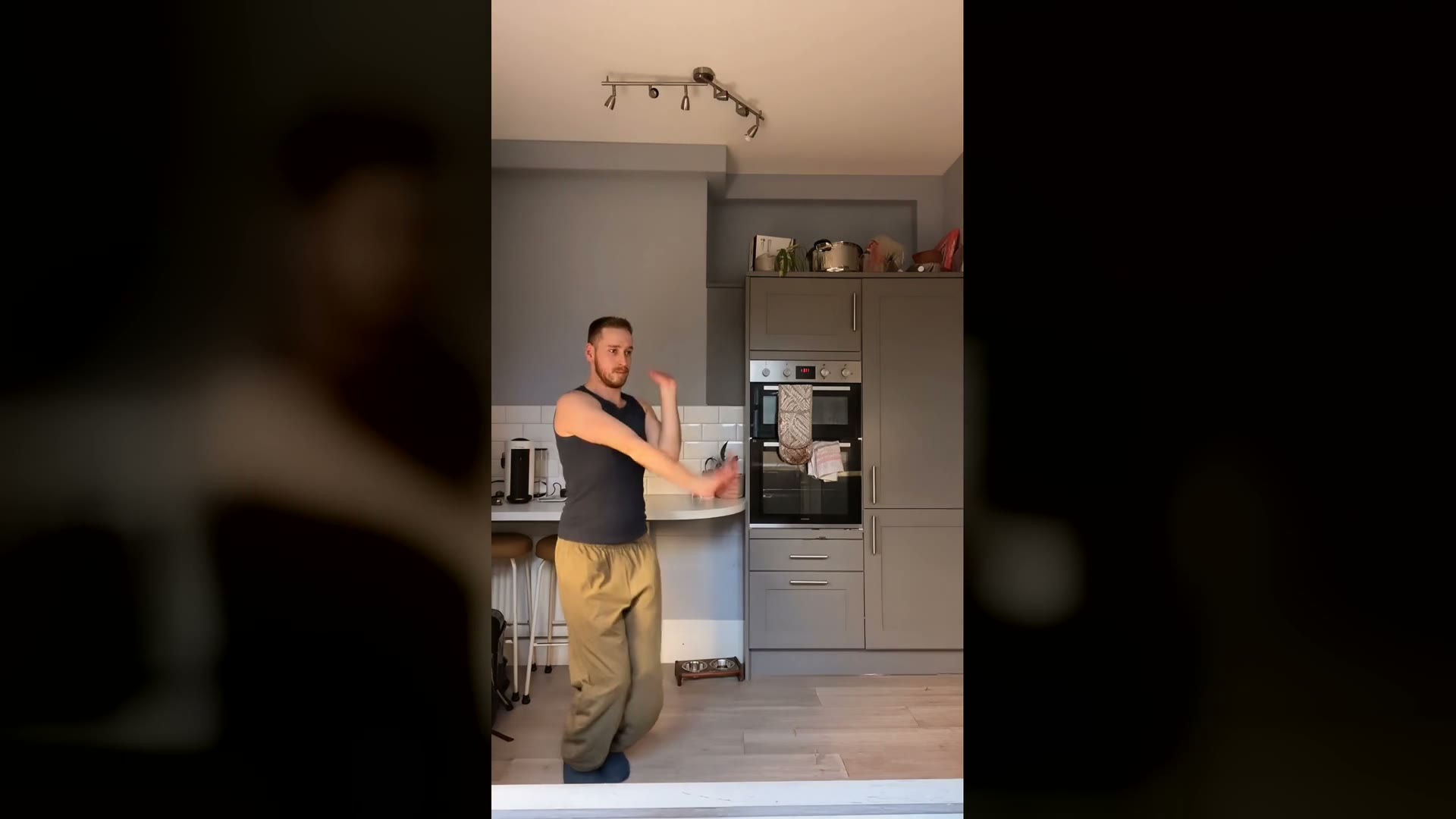
Teaser from the model card: the painted character takes over the driving video while motion, camera and timing stay untouched.
How it works
Most character-replacement pipelines are built on intermediate representations: pose skeletons, segmentation masks, background plates, face crops. Each extractor is another model to run and another place to lose information. Viggle-Animate uses none of them. Because the reference is one of the clip's own frames, its pose, camera, framing and lighting already agree with the footage, so nothing downstream has to align them again. The model is never told what the new character is: no class, no identity encoder, no user text prompt.
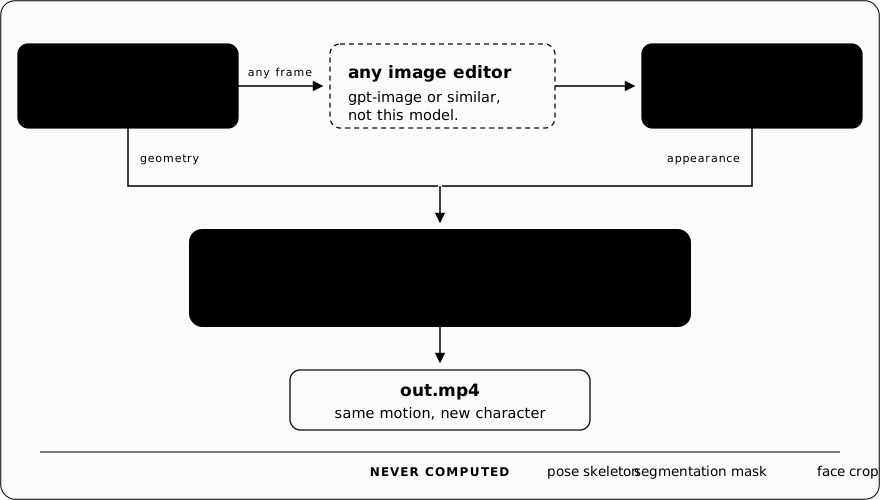
Two inputs enter the video stage: the driving clip and one repainted frame. The text encoder is never loaded. Conditioning is one frozen embedding shipped with the weights, identical for every render.
The speed comes twice over. Once the repainted frame exists there is nothing else to run, and the sampler itself is distilled: a joint distillation across two teachers split by noise level, where the finetune supervises the high-noise end that decides the replacement and the original MiniMax H3 supervises the low-noise end that decides detail and texture. Defaults are --steps 4 --flow-shift 3, which names four sigma boundaries and therefore three forward passes. The team notes four steps is the operating point, not a shortcut: the distilled model renders sharper than its teacher, and more steps tip into over-sharpening.
How it compares with Wan2.2-Animate
In a matched comparison on the same B200, same source videos, same resolution and frame count:
| Viggle-Animate | Wan2.2-Animate-14B | |
|---|---|---|
| Inputs | driving video + one repainted frame | driving video + character image, plus a preprocessing pass producing pose, face, mask and background tracks |
| Render, after weights load | 26 s | 160 s |
| Forward passes | 3 | 40 (20 steps x 2 chunks) |
| Parameters | 33.1 B | 17.3 B |
That is 6.1x faster per render and 10.3x on sampling alone, with Wan's preprocessing pass not even counted in its 160 s. The released comparison clips show the gap widest under fast motion, where Wan smears and Viggle-Animate lands the pose on the right frame. A demo Space and viggle.ai/h3 are live if you want to judge the output directly.
Generalizes past humans
Because nothing in the loop assumes the character is a person, what it can animate is bounded by what you can paint. The model card shows animals with ears and flippers moving on limbs the driving clip does not have, a clay figure holding its style boundary, and an airliner whose painted wings stay bound to the actor's arms for the full clip.
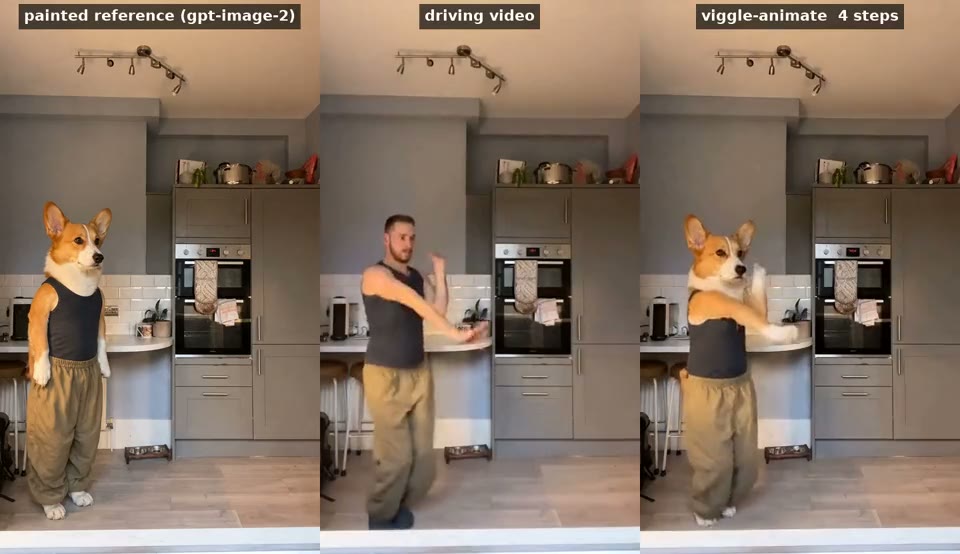
Painted reference and output: the paint places the anatomy, the render animates it as if it had always been there.
Known limits from the model card: lip-sync is weak in close-ups, multi-character scenes and shots that cut drop in quality, and the model inherits the image edit, so where the paint and the video disagree the video wins. A substantially better model aimed at these three cases is already in training.
Availability
- Weights: Viggle/Viggle-Animate on Hugging Face, under the MiniMax H3 Community License. Ships the 33.1B bf16 finetune (14 shards) plus a 2.5GB rank-128 DMD2-distilled LoRA; VAE, audio VAE and schedulers load from your own copy of the base model.
- Inference: diffusers-based,
inference/sample.pyin the repo, no fork or patch of the upstream pipeline needed. One 80GB card is not enough at bf16 (a 480x832 / 124-frame render peaks at 80.1 GiB): use a 96GB+ card or--offload. - No native ComfyUI support yet: use the official Python inference path. The LoRA is a delta on the finetuned transformer, so loading it onto stock H3 ref2va weights produces garbage.
- Demo: Viggle/viggle-animate Space and viggle.ai/h3.
Comments
Sign in with GitHub to join the discussion.