OpenGPEX: Browser Image Editor That Runs ComfyUI Workflows
OpenGPEX is an open-source browser image editor that connects to your ComfyUI instance, runs any workflow and drops the result back as an editable layer.
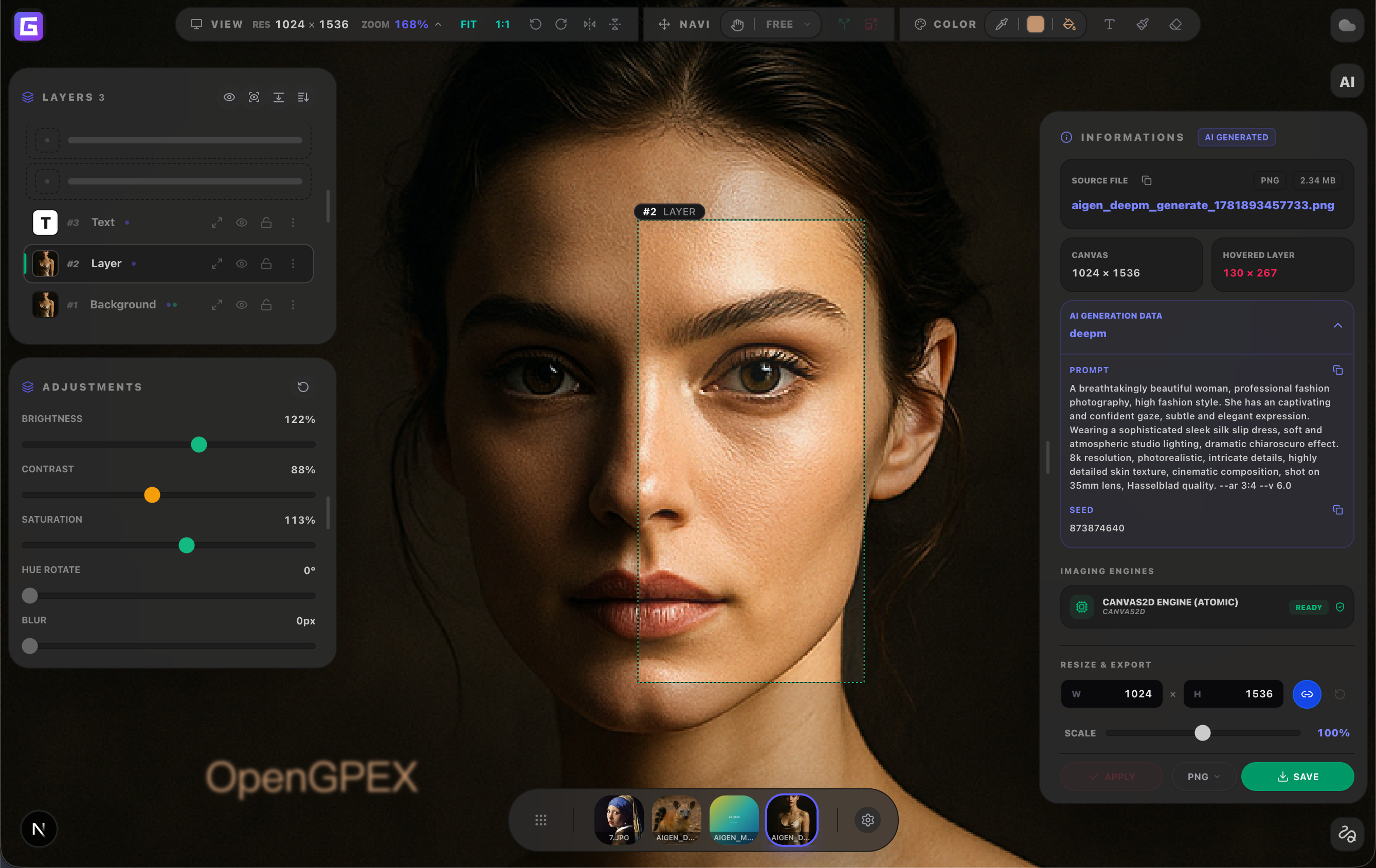
OpenGPEX runs in the browser and connects directly to your own ComfyUI instance.
Generate, edit, export in one window
OpenGPEX is an open-source (GPL-3.0), browser-native image editor built around a ComfyUI integration. Instead of generating an image in ComfyUI, exporting it, opening a photo editor and re-importing, the editor connects to your running ComfyUI instance and turns any workflow into a generation button inside the layer stack:
- Import a ComfyUI workflow JSON, or pull one from the server's generation history
- Choose which parameters to expose: prompt, seed, model and other inputs become form fields
- Hit Generate, and the result arrives as a new layer
- Keep editing with regular tools: background removal, adjustments, masks and text
- Export as PNG, WebP or TIFF with transparency
The editor is fully non-destructive: edits are stored as reversible metadata on top of the original image. It reads 10+ formats including 16-bit TIFF, RAW files (CR2/NEF/ARW/DNG), SVG and HEIC, and handles 100MP+ images in the browser. A nice touch for the ComfyUI crowd: drag in any image generated by ComfyUI and OpenGPEX reads the embedded workflow JSON, showing the full generation config and letting you download the workflow file.
Privacy-first and self-hosted
The ComfyUI integration talks to your own instance, so generation stays on your hardware. AI features beyond ComfyUI (background removal, SAM 2.1 segmentation, upscaling) all run client-side, and nothing uploads unless you opt into the optional cloud sync. The source is available at github.com/gpex-cloud/opengpex, everything is pluggable through its plugin system, and the author published a step-by-step walkthrough that builds a D&D character portrait from a ComfyUI workflow end to end.
For anyone who chains ComfyUI output into manual retouching, this removes the export-import loop entirely, and it works with any workflow you already have rather than a fixed set of features.
Comments
Sign in with GitHub to join the discussion.