H3 Cinematic Multishot Coverage: Eight Camera Views From One Photo
A core-nodes-only ComfyUI workflow turns one scene photo into eight timed cinematic camera views in a single MiniMax H3 pass, then extracts frames and a 4x2 contact sheet.
H3 Cinematic Multishot Coverage is a free ComfyUI workflow by ethanfel that turns one scene photograph into eight target-centered cinematic camera views in a single MiniMax H3 generation (Hugging Face). Instead of re-running an image-to-video pass per angle, it exploits H3's native multishot generation to cut between eight static camera setups on the same location.
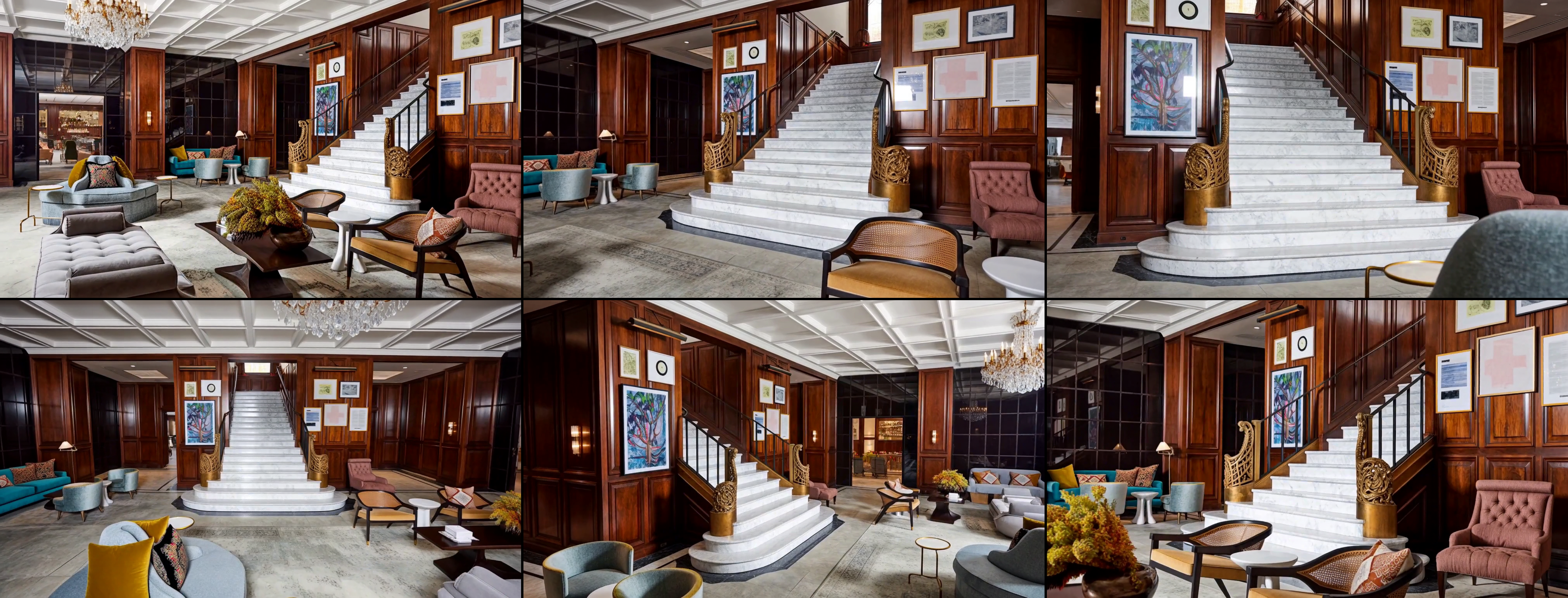
Several camera views produced from one scene reference in a single H3 pass
How the workflow works
The complete source photo is passed as a semantic Ref2VA reference, one person or object is named as the persistent coverage target, and H3 is asked to make true editorial cuts between eight explicitly timed static camera setups. After generation the workflow extracts one frame from the stable center of each shot, saves the eight views individually, and stitches a 4x2 contact sheet.
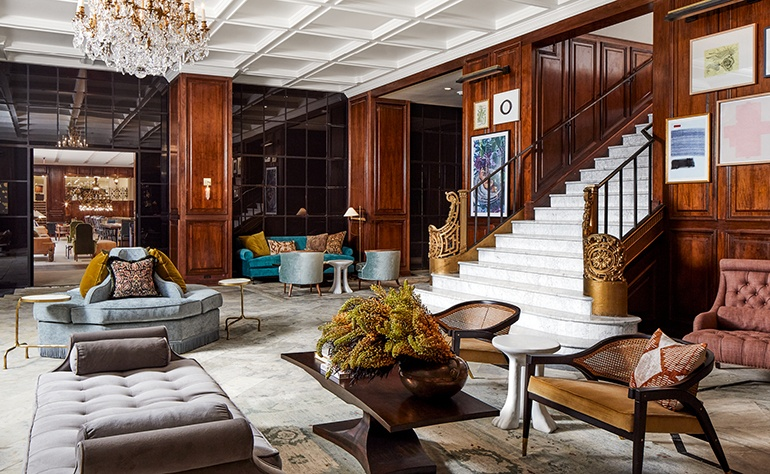 | |
|---|---|
| Source scene reference | Views from one H3 pass |
In the prototype results the staircase, wood paneling, furniture language, artwork and lighting of the location carry across viewpoints, while geometry hidden in the source image is inferred. The downloadable workflow develops the same method into eight timed cinematic cuts.
Core nodes only
The workflow uses only nodes shipped with current ComfyUI: MiniMaxH3ReferenceToVideo, MiniMaxH3SigmaShift, standard loaders and sampling nodes, plus ImageFromBatch, BatchImagesNode and ImageStitch. There are no custom-node dependencies; update ComfyUI before loading the workflow if a native H3 node is missing.
To use it, drag the JSON into ComfyUI, load one source image into the Picture 1 semantic scene reference slot, name your coverage target, and run. The README recommends a recent ComfyUI build so all native H3 nodes are present.
This sits alongside H3's other multishot capabilities covered earlier, such as the auto-chaining Motion Context update, but with a different goal: producing discrete editorial coverage of one scene rather than one continuous multi-shot clip.
Comments
Sign in with GitHub to join the discussion.