ComfyUI Photoshoot: Build a Person Once, Shoot a Whole Series
ComfyUI nodes that build a person once across 44 fields, then generate a full series of photos: framing, pose, expression and aspect ratio vary while the person stays the same.
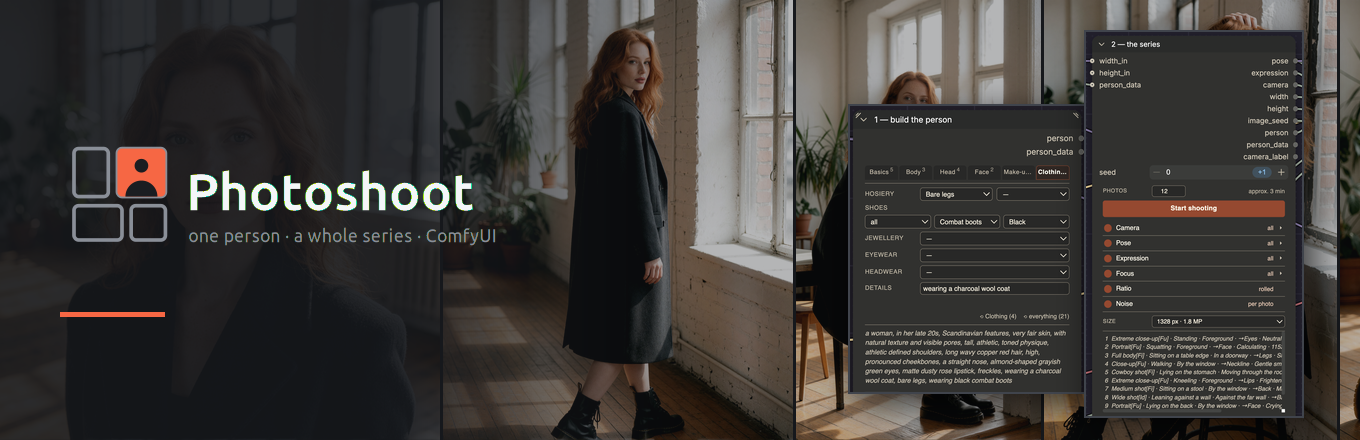
Photoshoot: build a person once, then shoot 40 photos of her (source: ralksta/ComfyUI-Photoshoot)
The Person Builder
The Person Builder describes a person across 44 fields on six tabs — body, face, hair, make-up, clothing — by picking labels; the node writes the English itself. Related fields share a row (hair and its colour, eye shape and eye colour, lips and finish) because they merge into one phrase. A person with nineteen fields set composes into a single prompt string:
a woman, in her late 20s, Scandinavian features, very fair skin, with natural
texture and visible pores, tall, athletic, toned physique, athletic defined
shoulders, long wavy copper red hair, high, pronounced cheekbones, a straight
nose, almond-shaped grayish green eyes, matte dusty rose lipstick, freckles,
wearing a charcoal wool coat, bare legs, wearing black combat boots
The person is saved under a name and comes back in the next session, so a character can be reused across workflows and projects.
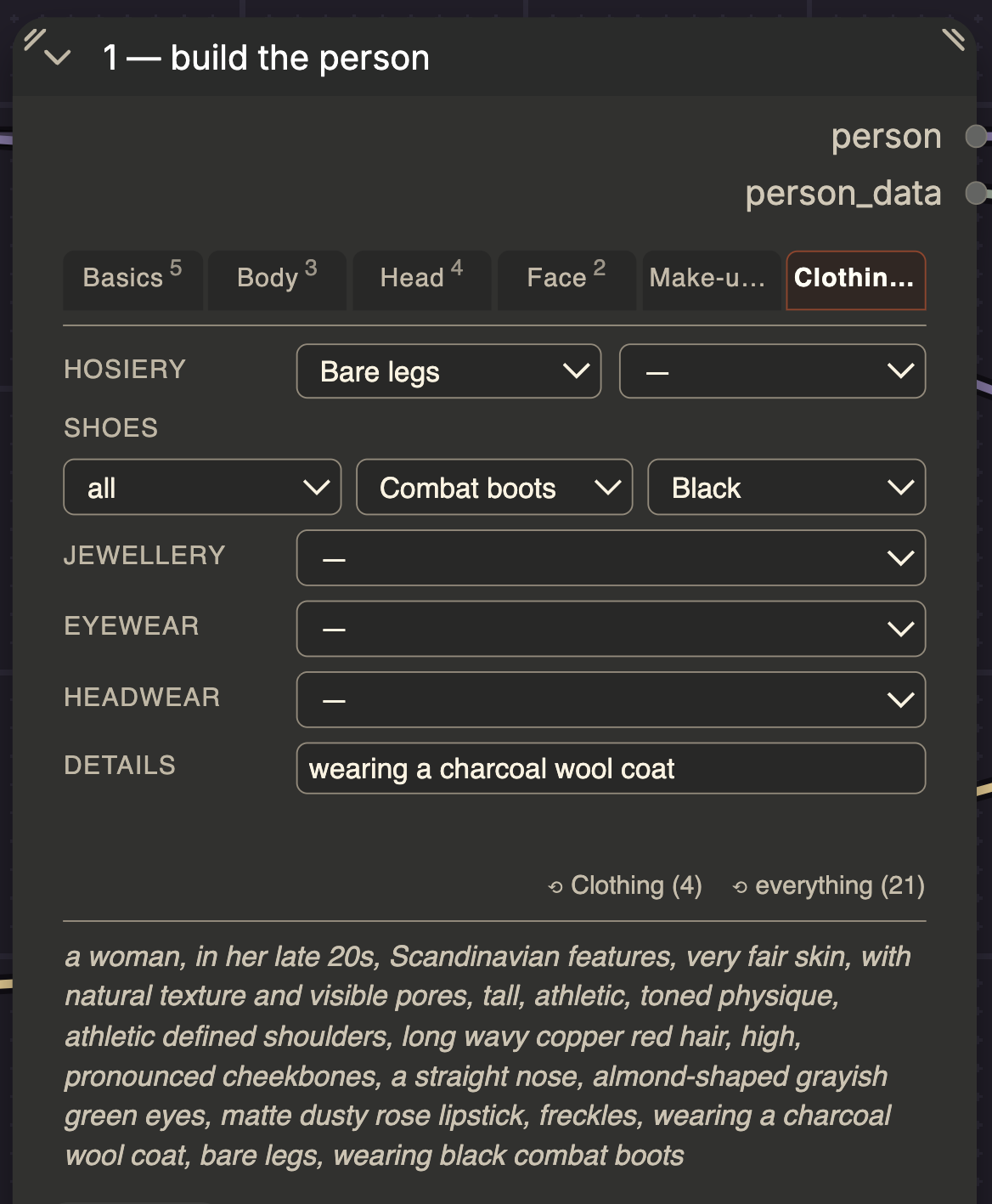
The Person Builder on the Clothing tab: per-tab counters, paired fields and the composed sentence that updates as you click.
The photoshoot
The Photoshoot Series node varies six axes. Each axis can be switched off (then it holds still) or restricted to a family — only standing poses, only calm moods, only close-ups:
| Axis | What varies |
|---|---|
| Camera | 7 framings, extreme close-up through wide shot |
| Pose | 18 postures in 4 families, plus placement, orientation, arms, legs, tension |
| Expression | 90 moods in 9 families, plus eyes, gaze, mouth, brows, head tilt |
| Focus | 12 focal points, coupled to the framing |
| Ratio | 9 aspect ratios at a constant pixel count, coupled to the framing |
| Noise | a fresh seed per photo, or one seed for the whole series |
Two mechanisms make this a series rather than 40 random images. The node counts through combinations instead of drawing at random, so run 7 always produces the same photo and a series can be reproduced and extended later. And the person shrinks with distance: a wide shot drops lipstick, eyeliner and brow shape and keeps the silhouette, because tokens the camera cannot resolve would otherwise pull the composition onto the head.
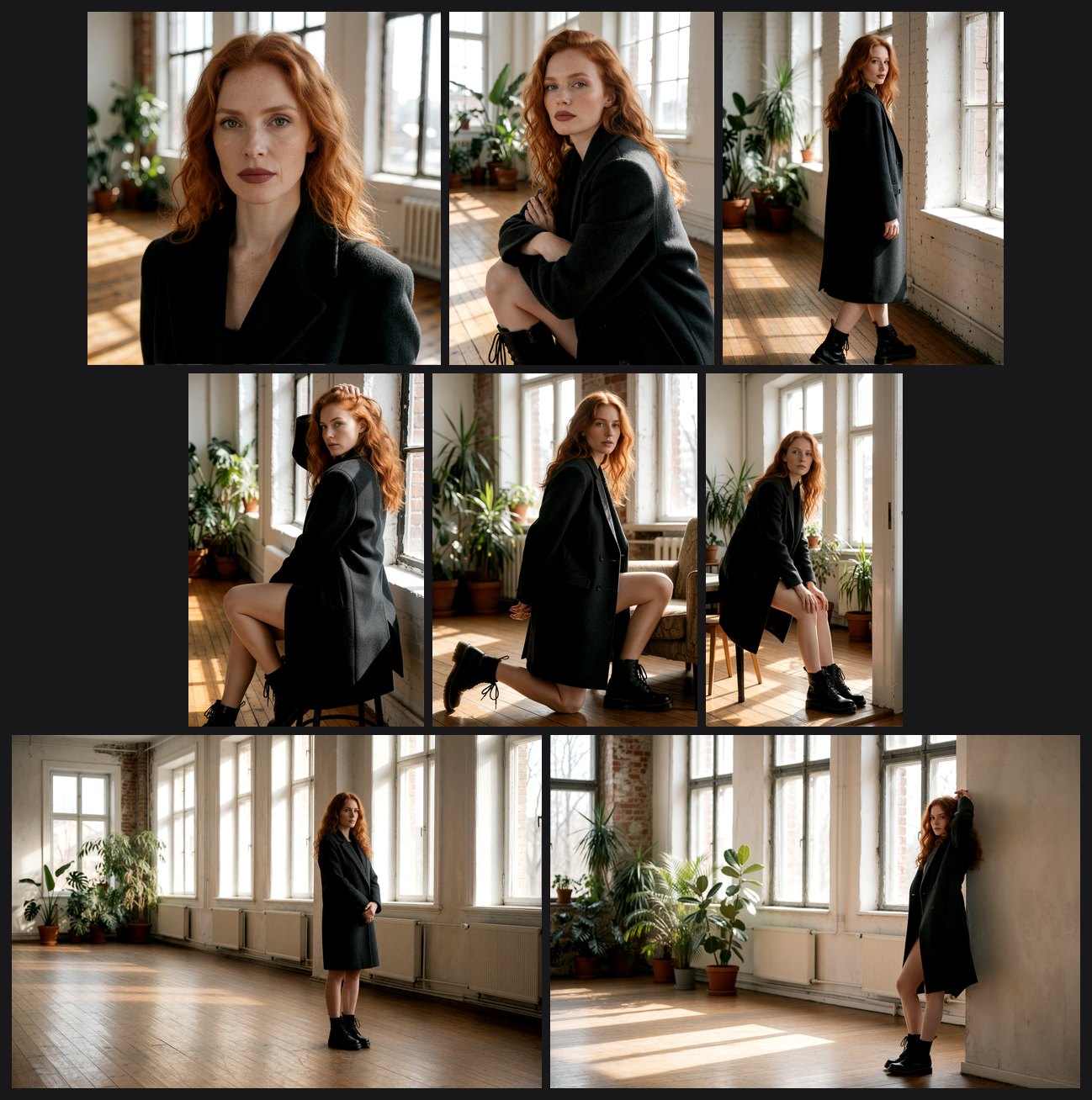
Eight runs of one series, unretouched: the hair, freckles, coat and boots come from the Person Builder and do not drift, while framing, pose, expression and aspect ratio change.
The nodes only emit text plus width, height and a seed — they never touch a model — so the series works with any prompt-driven model: Flux, SD 3.5, Qwen-Image or Krea 2. The included example workflow is wired for Krea 2 (the checkpoint Comfy-Org publishes) with a two-pass sampler: 8 steps at full denoise, a 1.5x latent upscale, then 4 steps at denoise 0.44. Pressing Start shooting in the node panel queues the whole series by itself.
There is also an anchor-set variant for building a consistent character to use elsewhere: it disables the noise axis, fixes one seed, holds the mood to one family and renders six framings (close-up for the face, full body for clothes and build) — a ready-made basis for a LoRA training set or reference images.
Installation
- ComfyUI Manager: search for Photoshoot and install.
- By hand:
git clone https://github.com/ralksta/ComfyUI-PhotoshootintoComfyUI/custom_nodes/, then restart ComfyUI. The nodes appear under the Photoshoot category. No dependencies beyond ComfyUI itself.
Availability
- Code: ralksta/ComfyUI-Photoshoot on GitHub
- Workflows:
photoshoot-series.jsonandphotoshoot-anchor-set.jsoninexample_workflows/ - Documentation: nodes reference and measurements in the repository
Comments
Sign in with GitHub to join the discussion.