Qwen-Video-Edit: Instruction-Based Video Editing With ComfyUI Nodes
Qwen-Video-Edit repurposes Qwen-Image-Edit's DiT to edit Wan 2.1 video latents from text instructions, with official ComfyUI custom nodes and 360P/480P/720P checkpoints.
Qwen-Video-Edit is an instruction-based video editing model that repurposes Qwen-Image-Edit's DiT to edit Wan 2.1 video-VAE latents directly, requiring no video-pretrained transformer. The initial release landed on August 14 (code, paper, 360P checkpoint); on August 20 the project added official ComfyUI support plus new 480P and 720P checkpoints.
The work comes from Yunpeng Bai (UT Austin), Yossi Gandelsman, Michaël Gharbi (Adobe), and Qixing Huang (UT Austin), with a paper and project page full of before/after demos.
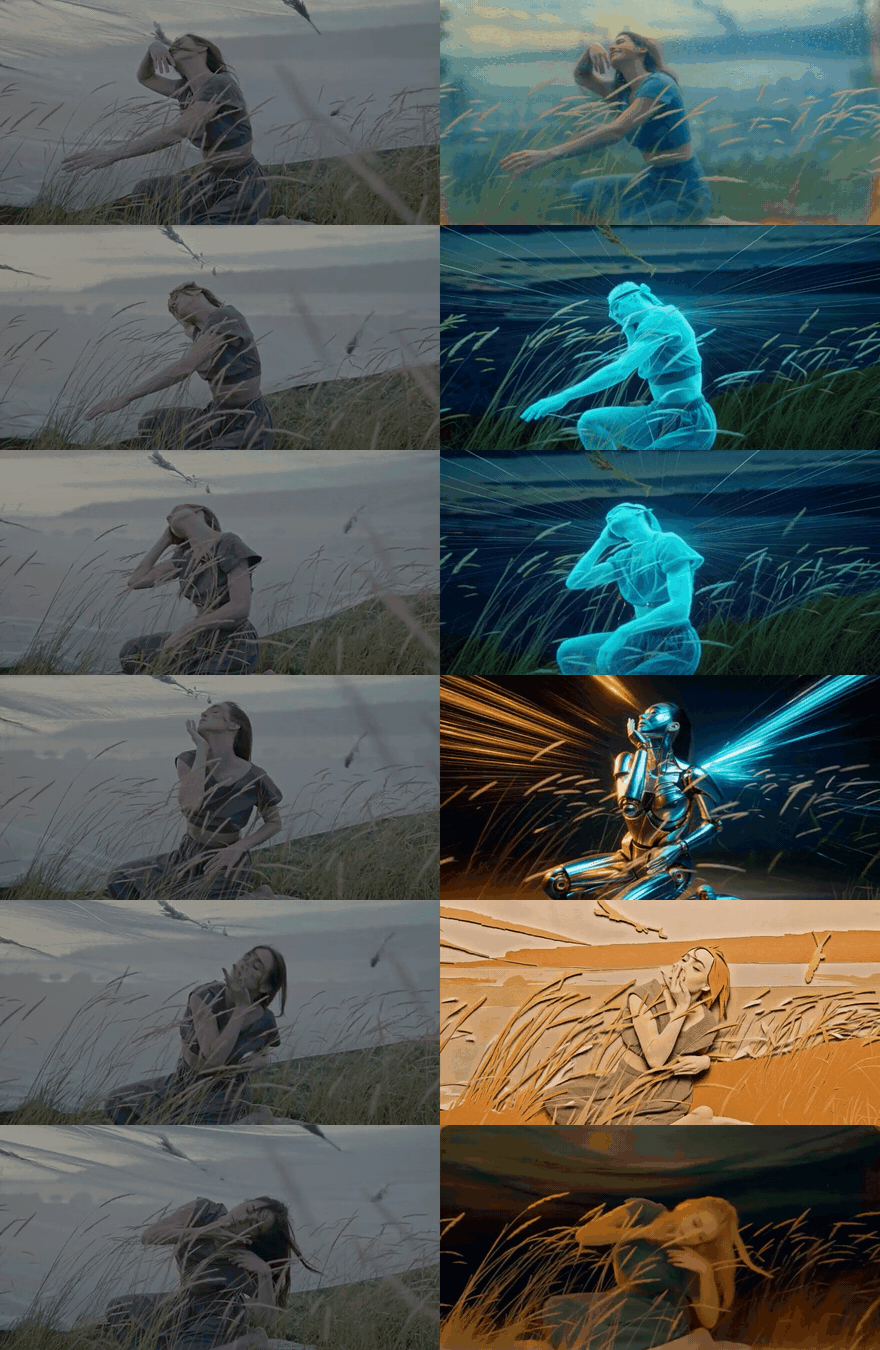
A long video edited chunk by chunk with different instructions: source on the left, edited result on the right.
How It Works
Instead of adapting a video diffusion transformer, Qwen-Video-Edit teaches an image editing model to work on video latents:
- Warm-started projections — two tiny trainable projections bridge Wan 2.1's 16-channel video latents into the DiT's token space, initialized from the DiT's own input/output layers so a static video is embedded identically to a Qwen image
- Grid positional encoding — the latent frames are laid out as tiles of one virtual big image, matching the image model's prior
- Prompt + frame-grid preview — a Qwen2.5-VL branch encodes the instruction together with a preview of the source frames
The frozen Wan 2.1 VAE handles encoding and decoding, and an optional Wan 2.2 denoising-enhancement stage (from Ditto) cleans up the edited latents.
"Transform the video into a pastel-colored children's storybook illustration" — edited result from the project page gallery.
ComfyUI Nodes
The repository doubles as a ComfyUI custom-node pack with three nodes under the QwenVideoEdit category, working in single-chunk semantics (one sampler call edits one num_frames window):
| Node | Role |
|---|---|
Qwen-Video-Edit Loader | Loads the DiT, text encoder, VAE, and your fine-tuned checkpoint |
Qwen-Video-Edit Sampler (one chunk) | Edits one chunk of frames: prompt, num_frames, max_pixels, steps, cfg_scale, seed |
Wan2.2 Enhance (Ditto) | Mandatory denoising enhancement with wan22_ckpt_dir |
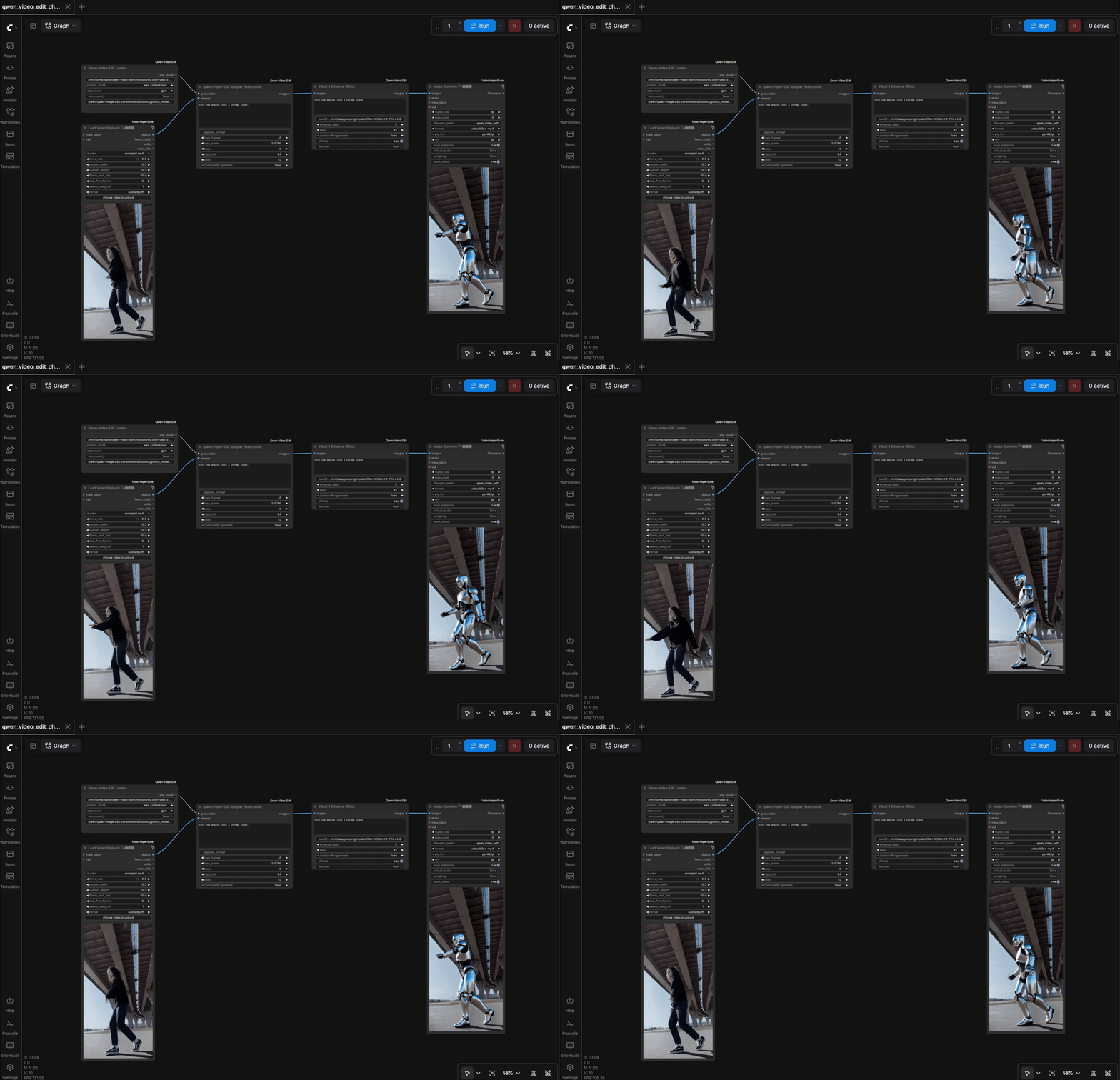
Checkpoints
All fine-tuned checkpoints live on Hugging Face, with the recommended ones also mirrored on ModelScope. Directory names encode the training subset (Ditto-1M) and supported frame count.
| Checkpoint | Training data | Frames | Max pixels |
|---|---|---|---|
360P/step-30000 ⭐ | global + local | 45 | 245760 |
480P/global_45/step-6000 | global | 45 | 399360 |
480P/local_45/step-11000 | local | 45 | 399360 |
480P/sim2real_45/step-7000 | sim2real | 45 | 399360 |
480P/global_local_81/step-6500 ⭐ | global + local | 81 | 399360 |
720P/global_local_45/step-3500 | global + local | 45 | 921600 |
"Transform the scene into a digital ink wash painting" — edited result from the project page gallery.
Availability
Qwen-Video-Edit ships as a ComfyUI custom-node pack: clone yunpeng1998/Qwen-Video-Edit into ComfyUI/custom_nodes/, install its requirements plus ComfyUI-VideoHelperSuite, and load the example workflow (comfyui_workflows/qwen_video_edit_chunk.json). The first run downloads roughly 55GB of base weights (Qwen-Image-Edit DiT, text encoder, Wan 2.1 VAE); the Wan2.2 enhancement stage additionally needs Wan-AI/Wan2.2-T2V-A14B. The checkpoint's latent_mode / pe_mode / zero_cond_t settings must match the loaded checkpoint. A ModelScope mirror is available for the recommended checkpoints.
Comments
Sign in with GitHub to join the discussion.