ComfyUI-Cadence-Retime: Twixtor-Style Speed Ramps for MiniMax H3
Hud224 ships Cadence Retime, a ComfyUI node pack that linearizes uneven H3 motion and applies Twixtor-style speed ramps with audio sync, without After Effects.
Hud224 released ComfyUI-Cadence-Retime (GitHub), a ComfyUI node pack that analyzes uneven video cadence and applies variable, fractional frame remaps directly to an IMAGE batch. It brings Twixtor-style speed ramps and motion linearization into ComfyUI — no After Effects, no external video decoder, no CSV round trip.
The pack was built for MiniMax H3 workflows, where the model's baked-in speed ramps are a common complaint: H3 clips often start slow, speed up, then settle. Cadence Retime normalizes that motion into constant screen travel, or lets you draw your own speed curve over the shot.
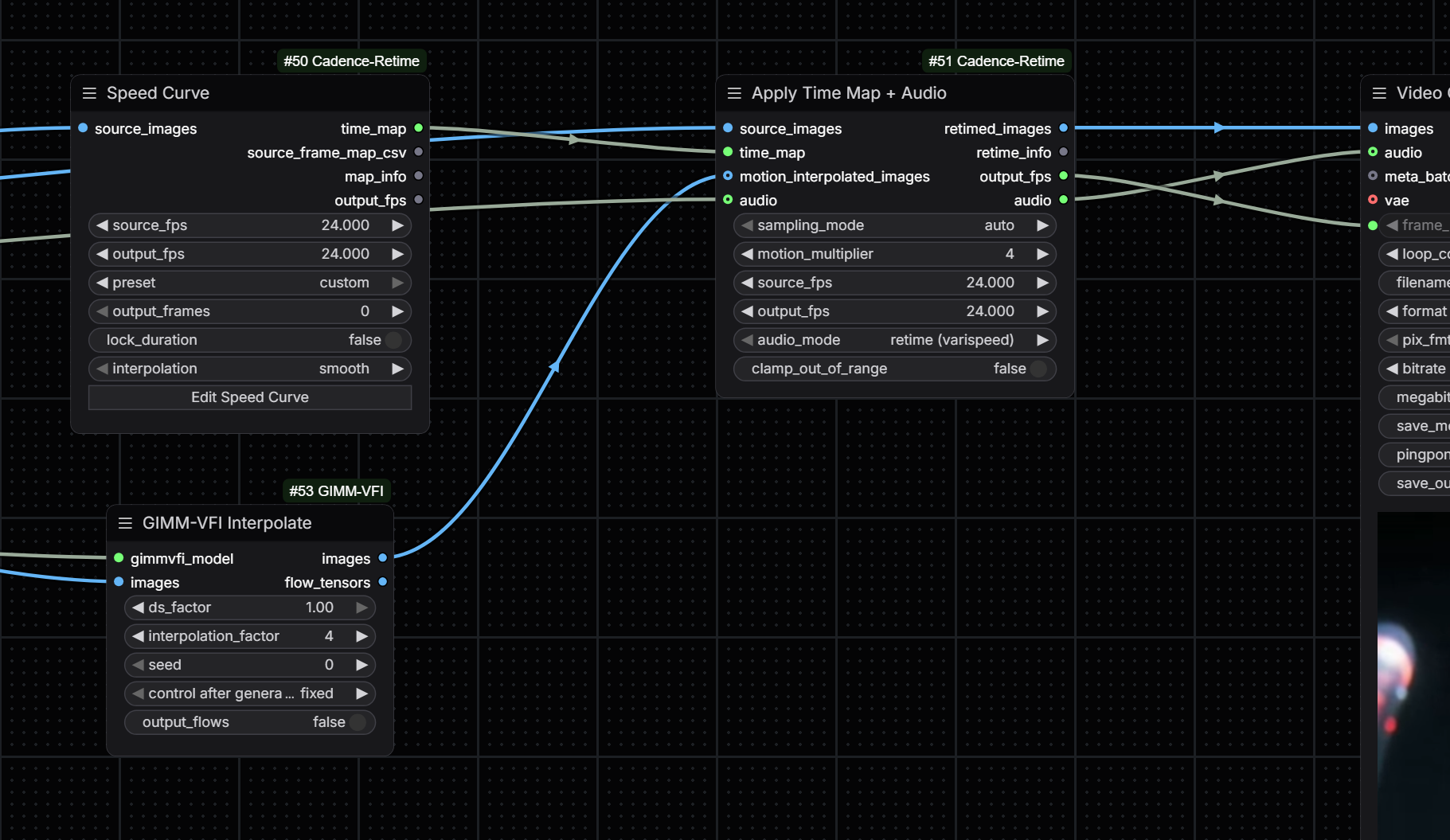
The Cadence Retime nodes: motion analysis, map builders, and apply nodes under the Cadence: prefix.
What it does
- Linearize uneven motion — in-memory optical-flow analysis measures screen displacement from the loaded IMAGE batch and builds a monotonic, fractional source-frame map.
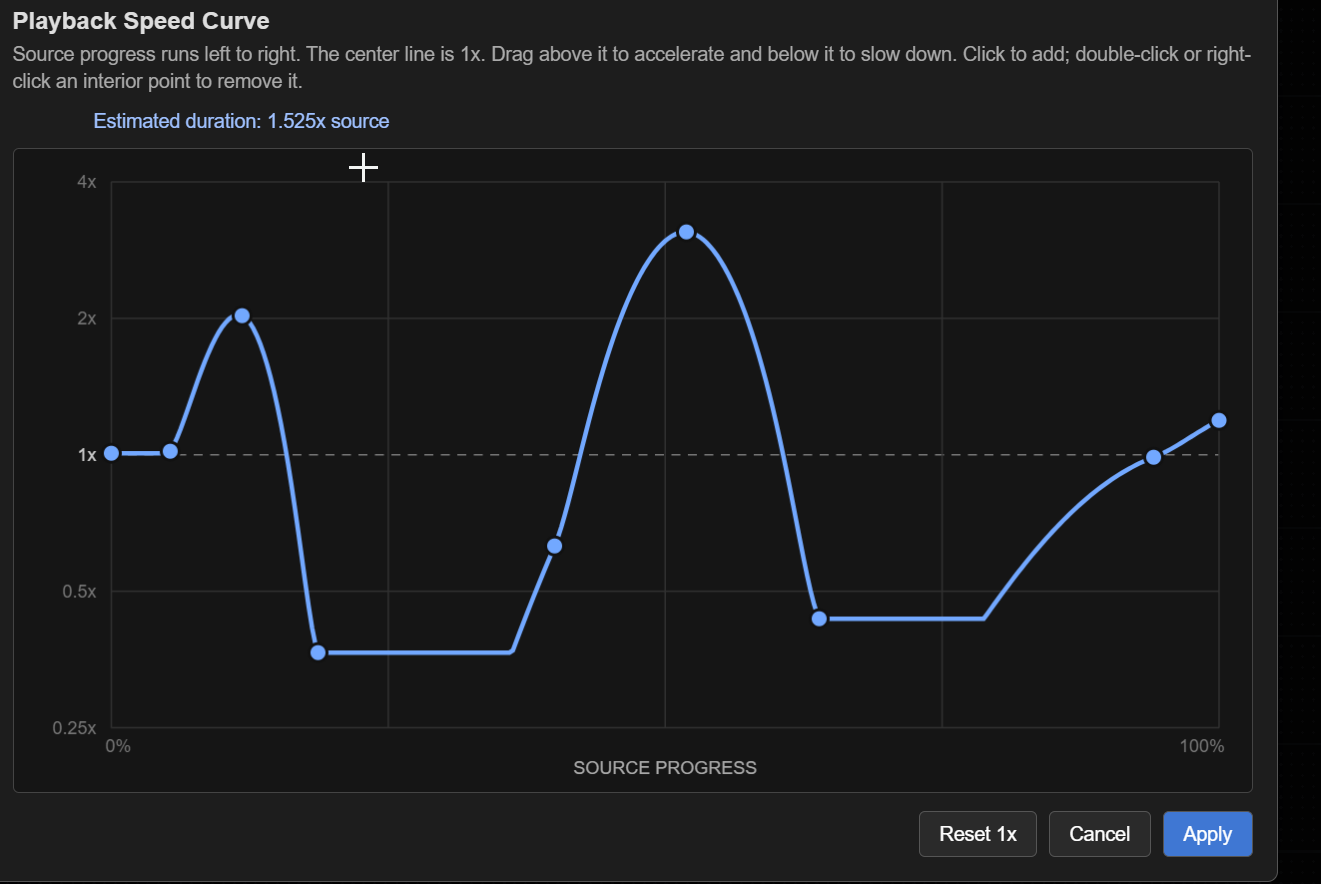
gentle,standardandstrongmodes progressively approach constant screen travel. - Build creative retimes — three map builders: Retime Preset (linear, ease-in/out, slow-middle), Source-Time Curve (direct output-time → source-time mapping), and Speed Curve (editable 0.25×–4× playback-speed graph, logarithmic scale).
- Sample exact frames — whole-frame positions always come from the untouched source batch; only fractional positions sample an optional dense RIFE/GMFSS interpolation batch, so unretimed frames stay sharp.
- Keep audio synchronized —
Cadence: Apply Retime + Audioretimes the audio track with the same picture map using synchronized varispeed (pitch follows speed), or passes audio through untouched. - Import legacy frame maps — text, JSON, CSV content, local CSV paths, or a direct
CADENCE_MAPconnection.
The interactive speed-curve editor: above the center line plays faster, below plays slower.
Recommended workflow
For a typical H3 clip, the compact Normalize Motion node is the fastest path:
- Load the untouched video as an IMAGE batch and connect it to
source_images. - Optionally run the same source through RIFE or GMFSS at ×4 and connect it to
motion_interpolated_images. - Send
retimed_imagesto Video Combine, wiringoutput_fpsto its frame-rate input.
Recommended first-pass settings: strength: standard, analysis_resolution: 256, minimum_static_frames: 3, motion_multiplier: 0 (automatic) or 4 with an explicit ×4 VFI branch. ×4 interpolation is the normal working setting; ×8 only for difficult parallax or large corrections. protect_static_edges stays off for full-move linearization, and can be enabled to preserve an intentional static start or end settle.
Context
The daily summary on the Banodoco Discord featured the release on August 21 (announcement): run a ×4 interpolation pass, then the node pulls fractional frames on demand and refreshes in about a second — matching the "render small, retime later" style huddadudd uses in After Effects, now inside ComfyUI.
Installation
Clone into ComfyUI/custom_nodes/ and restart ComfyUI; no extra Python packages are required. The nodes appear under the Cadence Retime menu with Analysis, Maps and Apply subcategories, and a test suite ships with the repo (python -m unittest discover -s tests).
Comments
Sign in with GitHub to join the discussion.