MiniMax Music 3: Open Music Generation Model With ComfyUI Support
MiniMax releases Music 3, an open music model creating complete songs up to 5 minutes with expressive vocals, structured captions and lyrics, with native ComfyUI support.
Overview
MiniMax Music 3 is MiniMax's open music generation model, released alongside the official demo page. It generates structurally coherent songs with expressive vocals, evolving arrangements, and stable long-form audio quality, outputting 32 kHz 16-bit stereo WAV audio.
Official MiniMax Music 3 banner
The model uses a hierarchical autoregressive (Hybrid-LM) architecture that separates global musical modeling from local acoustic modeling:
- The Global LLM (8B) predicts the first RVQ codebook frame by frame and models the song's long-range semantic and structural progression. It is initialized from Qwen3-8B.
- The Local LLM (0.6B) predicts the remaining acoustic codebooks within each frame and restores fine-grained acoustic detail.
- A continuous hidden-state synthesis system based on Flow Matching (2.4B) and a Flow-VAE decoder (123M) converts the fused hidden states into waveform audio, preserving vocal articulation and instrumental texture.
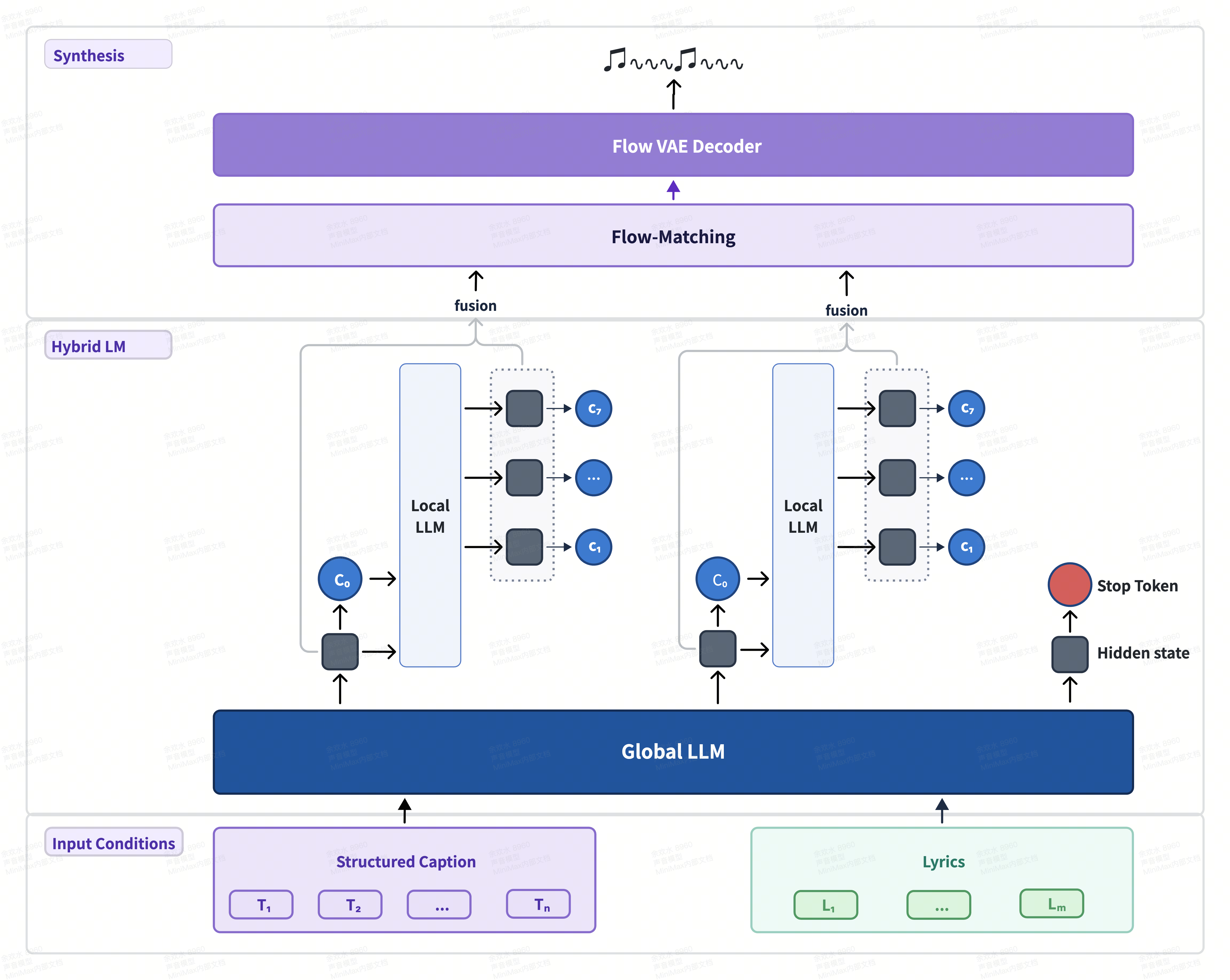
MiniMax Music 3 architecture: Hybrid-LM with Flow Matching and Flow-VAE synthesis
Key Features
Complete songs up to 5 minutes. The model natively supports full-song generation with structure such as intro, verse, pre-chorus, chorus, bridge, instrumental break, and outro, maintaining musical themes, rhythm, vocal identity, and arrangement progression across long sequences.
Two-input control. MiniMax Music 3 accepts two complementary inputs:
- Lyrics define the words to be sung and may include explicit section tags such as
[Intro],[Verse],[Pre-Chorus],[Chorus],[Bridge],[Instrumental],[Solo], and[Outro]. - Music description defines the musical style, emotional progression, vocal performance, instrumentation, arrangement, and production profile. A Structured Caption with three sections — Global Metadata, Vocal Details, and Arrangement — gives the model precise, fine-grained control over the musical development of the song over time.
Expressive vocals. Natural vocal synthesis with control over melody, pronunciation, and layered harmonies.
Music tokenizer. Training uses eight layers of Residual Vector Quantization (RVQ): one semantic codebook with 16,384 entries plus seven acoustic codebooks with 1,024 entries each.
ComfyUI Support
ComfyUI natively supports MiniMax Music 3 with an official example workflow — MiniMax Music 3 Text to Music — available from the Template Library (Audio category) or from the official ComfyUI tutorial.
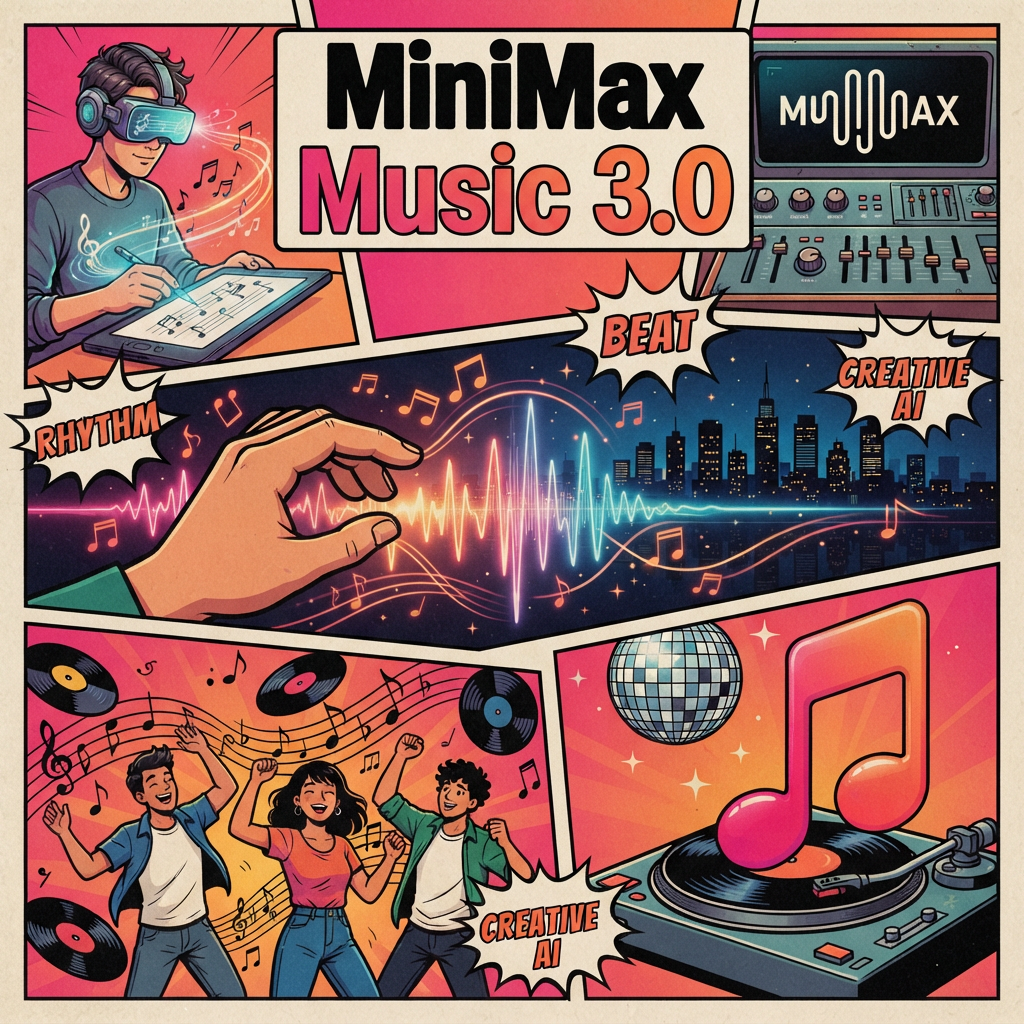
Official MiniMax Music 3 Text to Music workflow template
The ComfyUI-ready model files — repacked diffusion model, text encoder, and VAE — are hosted in the Comfy-Org/MiniMax-Music-3 repository, with the original weights in MiniMaxAI/MiniMax-Music3.
Weights and Variants
| File | Folder | Size |
|---|---|---|
minimax_music3_dit_fp16.safetensors | diffusion_models | 4.9 GB |
minimax_music3_dit_fp32.safetensors | diffusion_models | 9.8 GB |
minimax_music3_dit_int8_convrot.safetensors | diffusion_models | 2.5 GB |
minimax_music3_text_encoder_bf16.safetensors | text_encoders | 18.5 GB |
minimax_music3_text_encoder_pruned_bf16.safetensors | text_encoders | 16.7 GB |
minimax_music3_text_encoder_pruned_int8_convrot.safetensors | text_encoders | 9.2 GB |
minimax_music3_dav.safetensors | vae | 217 MB |
The full-precision model fits under 24 GB of VRAM; with automatic CPU offloading generation takes about 22 GB, and streaming the language model layer by layer can fit even 8 GB cards.
Availability
The model is supported by SGLang-Omni for serving, and a diffusers pipeline is available as a modular pipeline. In ComfyUI, update to the latest version, open the Template Library, and choose the MiniMax Music 3 Text to Music workflow, which prompts you to download the required model files.
Comments
Sign in with GitHub to join the discussion.