ComfyUI-Krea2-NAG: Negative Prompting for Krea 2 Turbo
iljung1106's new ComfyUI node brings Normalized Attention Guidance to Krea 2, restoring negative-prompt control on Turbo checkpoints that require CFG 1.0.
Krea 2 Turbo is distilled for CFG 1.0, and at CFG 1.0 the standard negative prompt does nothing — you can only steer the generation through the positive prompt. NAG, based on the paper Normalized Attention Guidance: Universal Negative Guidance for Diffusion Model (arXiv:2505.21179), fixes this by working in attention space instead of the CFG branch: the node uses the same image query for positive and negative attention and changes only the text context. The NAG normalization is computed in FP32 and returned to FP16/BF16, so there is no precision penalty.
The bundled example uses prompt A llama-bird hybrid creature flying in the sky. Llama head, bird body. with NAG negative big wings:
| Baseline (CFG 1.0) | NAG negative: big wings |
|---|---|
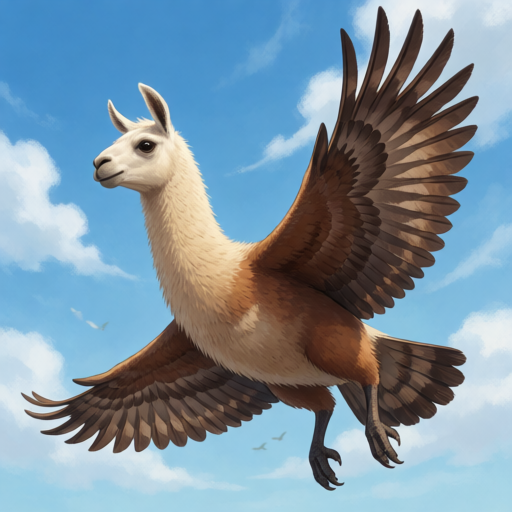 | 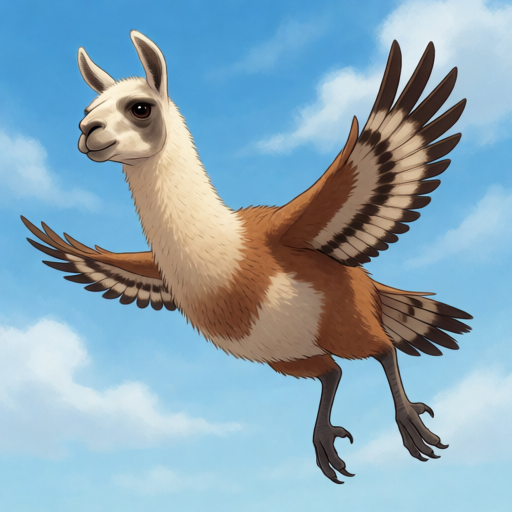 |
| Baseline output | "big wings" suppressed |
Krea2Edit Support
Install ComfyUI-Krea2Edit v1.2.5 or newer to get the combined Krea2Edit Normalized Attention Guidance node, which applies NAG on top of the edit model instead of stacking two model patches. Edit prompt: Change the bird feathers to blue. Preserve the llama face and flying pose. with NAG negative brown feathers:
| Krea2Edit baseline | Krea2Edit + NAG |
|---|---|
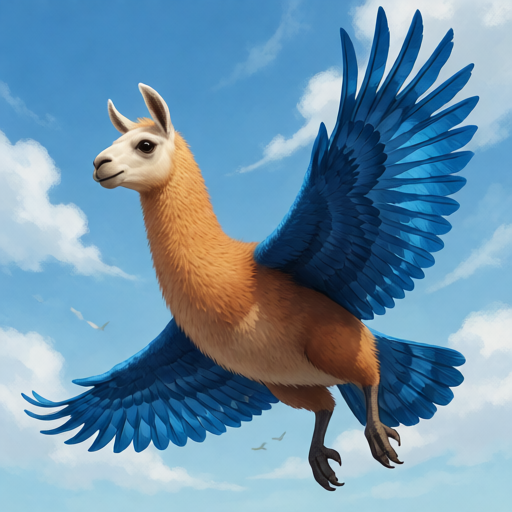 | 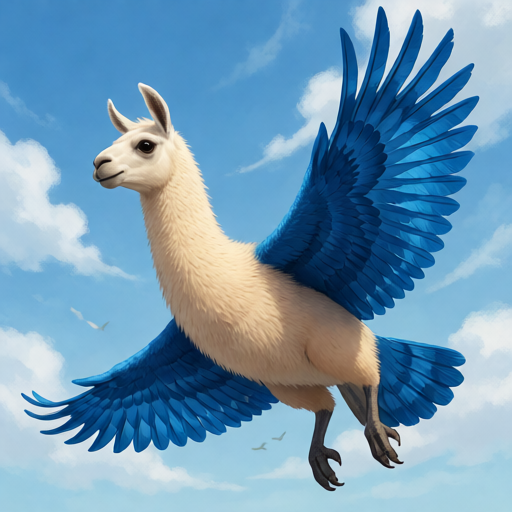 |
| Edit without negative control | "brown feathers" suppressed |
Source-reference attention stays on the positive path, so the reference identity and pose are preserved while NAG applies only to the target image tokens.
Workflows
Two ready-to-run Raw FP8 Turbo workflows ship with the repo:
Install & Usage
Clone the repository into ComfyUI/custom_nodes and restart ComfyUI:
cd ComfyUI/custom_nodes
git clone https://github.com/iljung1106/ComfyUI-Krea2-NAG.git
The included workflows use krea2_raw_fp8_scaled.safetensors, krea2_raw_to_turbo_r256_comfy.safetensors and qwen3vl_4b_fp8_scaled.safetensors at CFG 1.0. Put the concept to suppress in the separate NAG negative input. Defaults are phi=4.0, tau=2.5, alpha=0.25.
Comments
Sign in with GitHub to join the discussion.