Krea 2 OpenPose ControlNet LoRA With ComfyUI Workflow
A classic OpenPose ControlNet LoRA for Krea 2 Turbo: feed a DWPose skeleton map and the model follows the pose while the prompt defines appearance.
Community developer thedeoxen released the Krea 2 OpenPose ControlNet LoRA, a classic ControlNet-style pose adapter for Krea 2 Turbo. Feed it an OpenPose / DWPose skeleton map as the control image, and the model follows the body pose and structure while your text prompt defines identity, clothing, style, and scene.
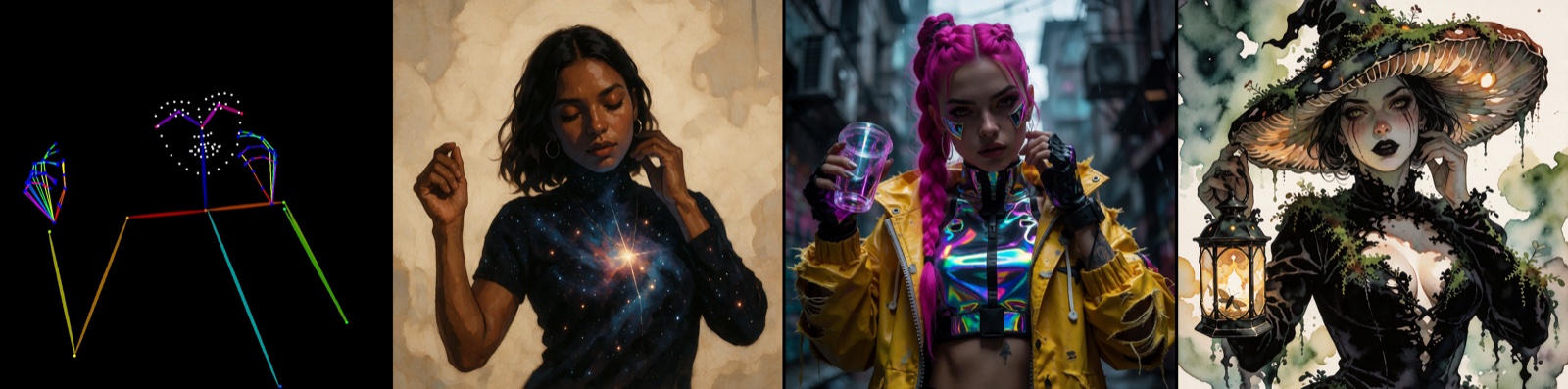
Pose map (left) to generated result (right) from the official example set
What It Does
Unlike reference-plus-pose fusion models, this is a straightforward pose ControlNet-LoRA: the input image is treated as an OpenPose control map, and the generated subject is aligned to that skeleton. Appearance, outfit, lighting, and environment all come from the prompt, not from a second reference image. It was primarily trained on humans, but also works with stylized characters.
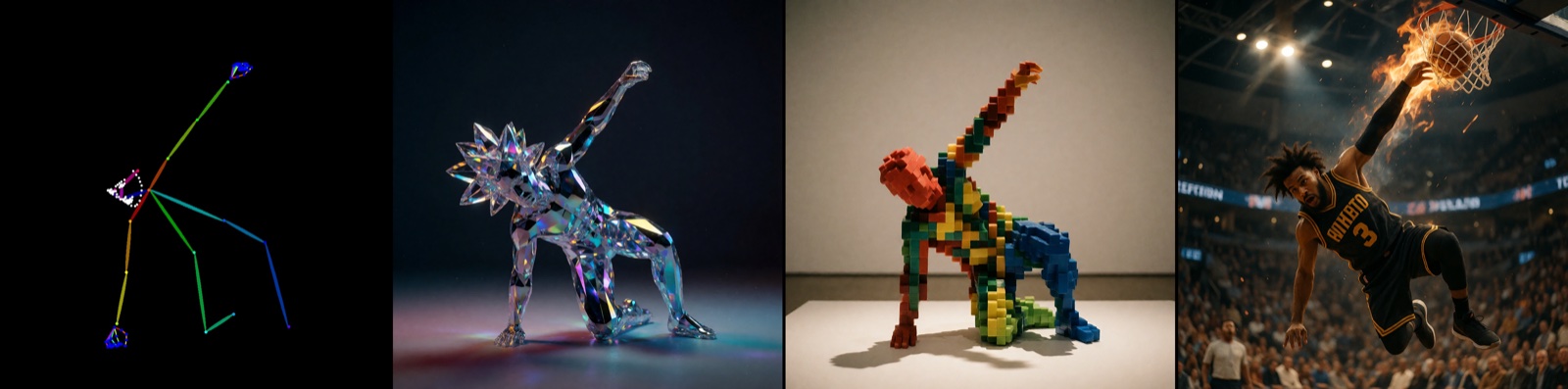
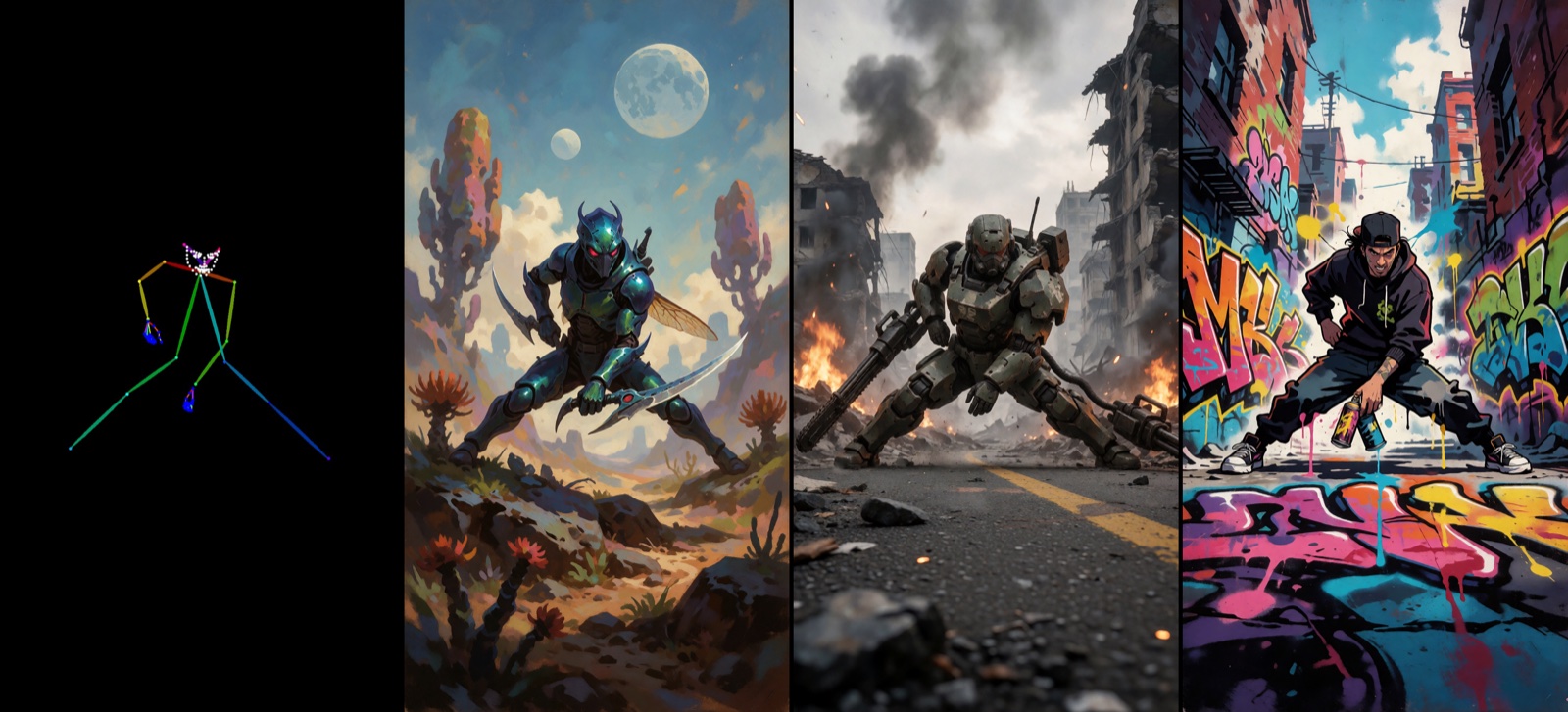
Each preview below is a single combined image from ComfyUI: Pose → Results (left to right).
 |  |
|---|---|
| Cyberpunk character following the pose map | Stylized character with pose alignment |
 | |
|---|---|
| Pose-driven action scene |
ComfyUI Workflow
The model ships with a ready-to-run ComfyUI workflow. Two custom node packs are required:
- comfyui_controlnet_aux for DWPose pose extraction
- comfyui-krea2-ostris-edit for Krea 2 conditioning with a control image
Setup Steps
- Extract or load an OpenPose / DWPose skeleton map (black background works best)
- Pass the pose map as image 1 in the Krea 2 Ostris Edit text encoder
- Write a normal text prompt describing the character or scene
- Load the LoRA on the Krea 2 Turbo UNet (recommended weight 0.8–1.0)
Recommended sampler settings from the example workflow: ~10 steps, CFG ~1.0, euler + simple sampler. No trigger phrase is required — the pose comes entirely from the control image.
Tips
- DWPose skeleton maps on a black background work best as control input
- Keep subject scale and framing in the pose map reasonable for the scene you want
- Lower the LoRA weight (~0.6–0.8) if the pose feels too rigid; raise toward 1.0 for stronger adherence
- Combine with detailed prompts for lighting, camera angle, and style
Use Cases
- Posing characters for illustrations, comics, or storyboards
- Enforcing a specific body pose while freely changing outfit and style via prompt
- Animation keyframes and pose-driven concept art
- Stylized character generation with controllable anatomy
Comments
Sign in with GitHub to join the discussion.