ACE-Step 1.5: Open Music Generation With Official ComfyUI Support
ACE Studio and StepFun release ACE-Step 1.5, an open music foundation model generating full songs in seconds on consumer GPUs, with official Comfy-Org files and workflows.
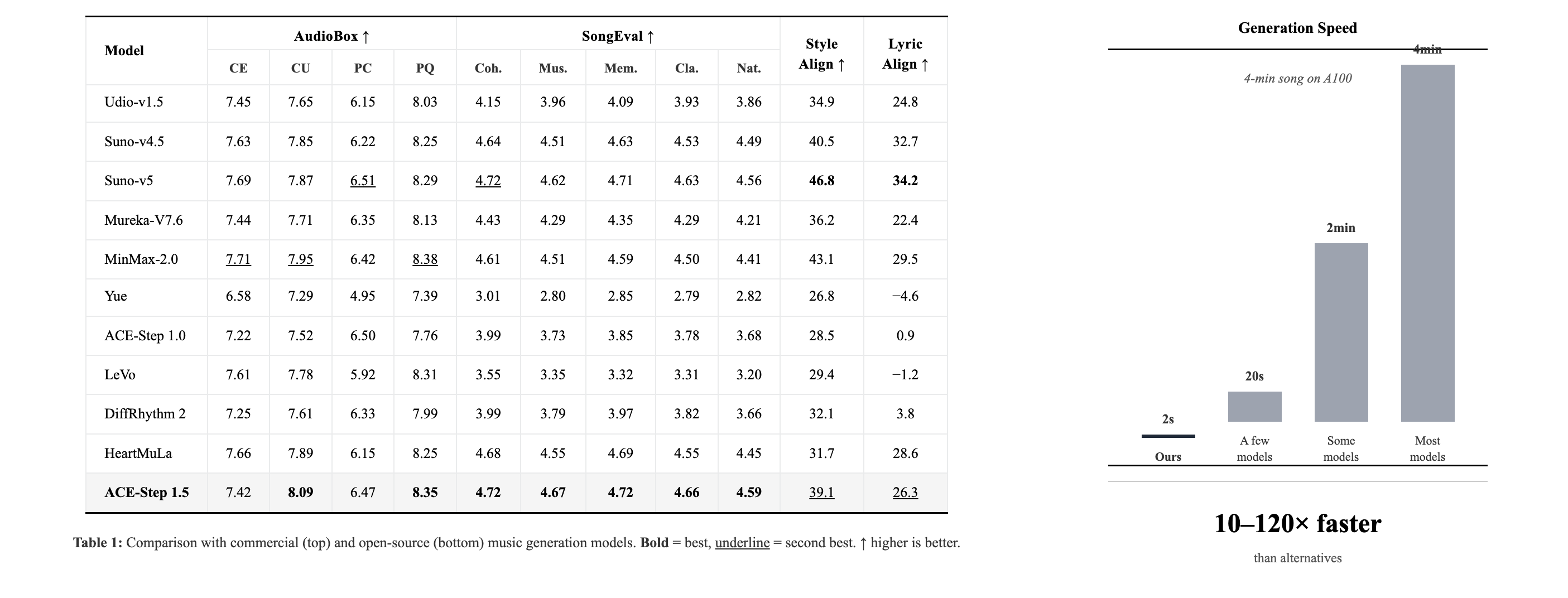
ACE-Step 1.5 is an open-source music foundation model from ACE Studio and StepFun that turns text prompts into complete songs — from short loops to 10-minute compositions — fast enough for consumer hardware. The Turbo variant generates a full song in under 2 seconds on an A100 and under 10 seconds on an RTX 3090, running locally with less than 4GB of VRAM.

Hybrid LM + DiT Architecture
ACE-Step 1.5 pairs a Qwen-based language model (0.6B / 1.7B / 4B) with a diffusion transformer. The LM acts as an omni-capable planner: it turns a simple user query into a comprehensive song blueprint — structure, metadata, lyrics and captions generated via chain-of-thought — that guides the DiT. This alignment is learned through intrinsic reinforcement learning without external reward models or human preference data.
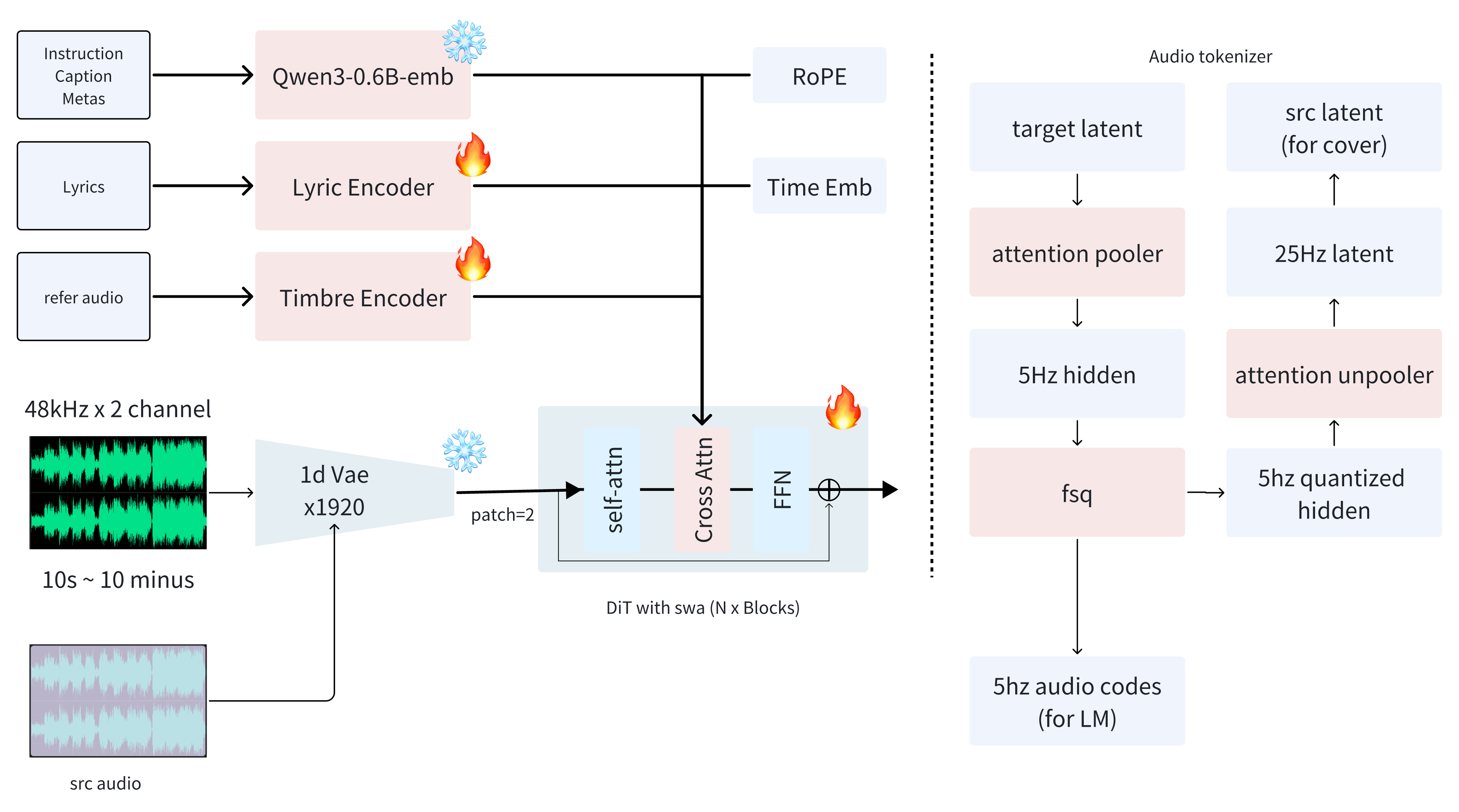
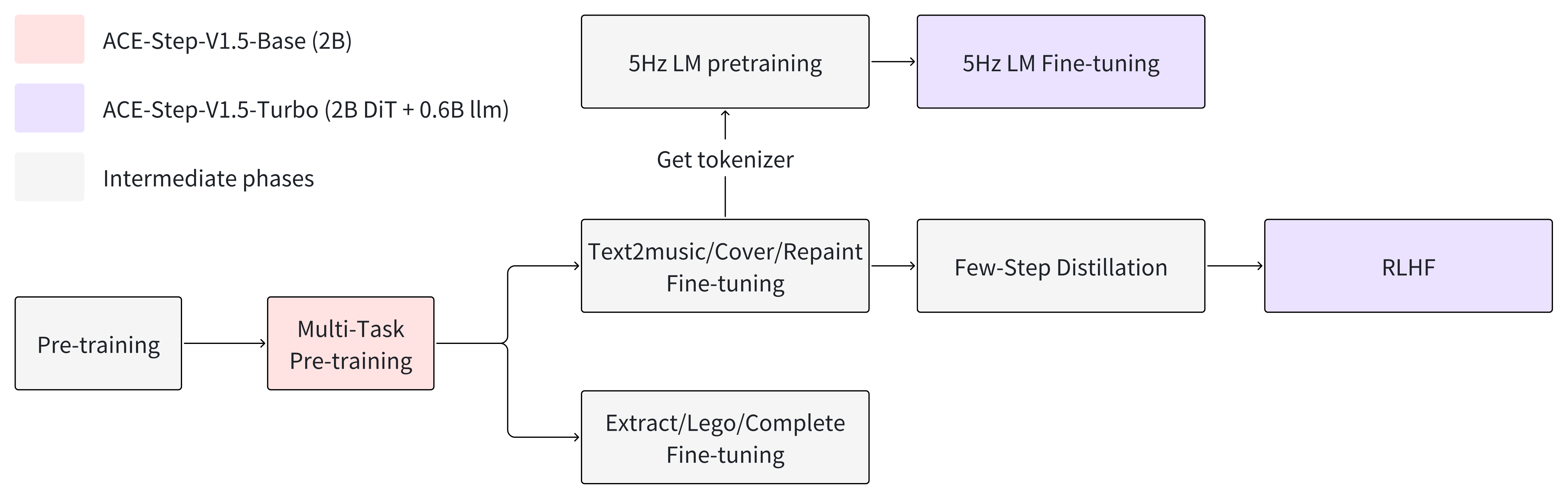
Beyond synthesis, the model unifies stylistic control with editing capabilities such as cover generation, repainting and vocal-to-BGM conversion, while keeping prompt adherence across 50+ languages. The family ships in four DiT flavors — base, sft, turbo (8-step distilled) and turbo-rl — alongside the three LM sizes:
Official ComfyUI Support
Comfy-Org maintains official ComfyUI files for ACE-Step 1.5 — an all-in-one Turbo checkpoint, split diffusion models (Base / Turbo / XL variants), Qwen text encoders and the VAE — and a step-by-step docs.comfy.org tutorial. Official workflow templates live in the Comfy-Org workflow_templates repository:
Availability
Weights are on Hugging Face and ModelScope, with an interactive Space demo and the technical report on arXiv.
Comments
Sign in with GitHub to join the discussion.