LTX Director 2.0 Overhauls ComfyUI Video Editing With IC-LoRA, Audio Inpainting, and Retake Mode
WhatDreamsCost releases LTX Director 2.0, a massive update to the free open-source ComfyUI video editing tool adding complete video support, IC-LoRA integration, audio inpainting, retake mode for selective regeneration, and a full UI overhaul.
WhatDreamsCost released LTX Director 2.0 on June 24, 2026 — a major overhaul of the free, open-source timeline-based video editor for ComfyUI, transforming it from a storyboard sequencer into a full AI video editing suite.
A timeline video editor inside ComfyUI — edit existing videos, apply IC-LoRAs, inpaint audio, and selectively re-generate segments, all from a single node.
Watch the official trailer:
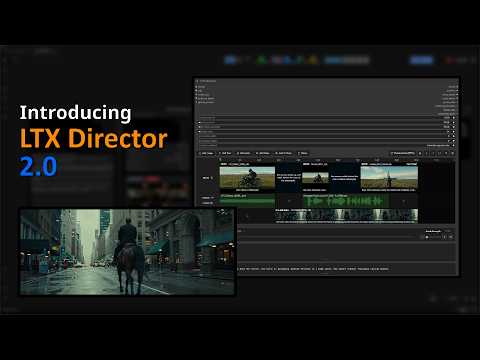
What's New in 2.0
Complete Video Editing Support
LTX Director 2.0 moves beyond text-to-video generation and lets you edit existing videos directly inside the timeline node. Trim, split, combine, and extend videos using a combination of prompts, keyframes, and audio — all without leaving ComfyUI.
IC-LoRA Integration
Drag and drop videos onto the IC-LoRA track to condition generation on reference input. Compatible with prompt relay, keyframe, and custom audio features within the node, this brings the full power of LTX-2's IC-LoRA ecosystem (structural control, VFX, video restoration, creative transforms) into the timeline workflow.
Audio Inpainting
Seamlessly blend imported audio with generated audio. Audio can be extended naturally, and can also be prompted alongside your imported audio — making it possible to add narration, sound effects, or music that follows the video content.
Retake Mode (Beta)
Select any segment within a generated video and re-generate just that portion. This gives fine-grained control over specific shots without having to re-render the entire video.
Timeline Saving & Loading
Save your entire timeline (including imported videos, audio, images, and every setting) to a JSON file. Load it later to continue editing or share setups.
UI Overhaul
A redesigned interface with a new sidebar, redesigned prompt boxes, new settings menus, and dozens of visual improvements. Quality-of-life features include snapping, in/out points, multi-select, mark selection, resizable prompt boxes, new hotkeys, labels, "split at playhead", toggleable tracks, NAG support, and more.
How to Install
Navigate to your ComfyUI/custom_nodes/ folder and run:
git clone https://github.com/WhatDreamsCost/WhatDreamsCost-ComfyUIOr install through ComfyUI Manager (search for "WhatDreamsCost"). Requires up-to-date versions of ComfyUI-LTXVideo and ComfyUI-KJNodes.
LTX Director 2.0 is free and open-source under the MIT license.