Krea 2 Open Source: A 12B Diffusion Transformer With ComfyUI Native Support
Krea.ai released Krea 2 Raw and Turbo, an open-weight 12.9B parameter Diffusion Transformer for text to image generation. ComfyUI supports it natively with ready to use workflows.
On June 22, 2026, Krea.ai open sourced Krea 2, their first in-house foundation image model. It is a 12.9 billion parameter Diffusion Transformer (DiT) built from scratch for top tier aesthetic quality.
The model comes in two flavors. Krea 2 Raw is the full base model for maximum creativity and fine tuning. Krea 2 Turbo is a distilled version that can generate high quality images in just 8 steps. Both ship with nine style LoRAs under the Krea 2 Community License.
And the best part is, it already works in ComfyUI out of the box. Comfy Org repackaged the model for seamless use, so you can start generating with it right away. You can find the official ComfyUI package on HuggingFace at Comfy-Org/Krea-2.
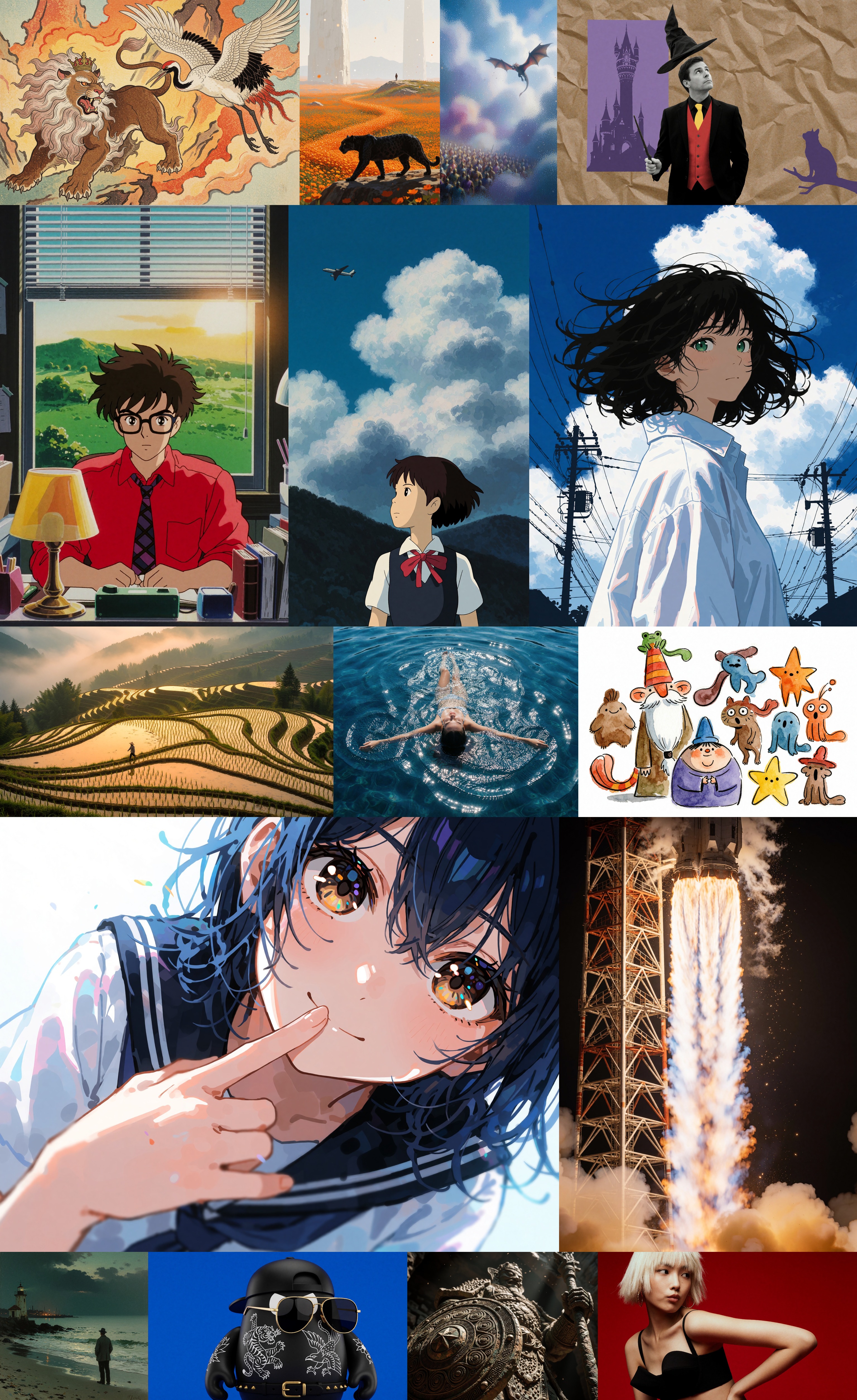 Generated samples from Krea 2, showing how the model handles everything from photorealistic scenes to stylized illustrations.
How to Use Krea 2 in ComfyUI
If you have ComfyUI installed, you can get started with Krea 2 right now. Comfy Org provides prebuilt workflows that handle all the details, no manual setup required.
- Text to Image with Krea 2 Turbo — the quickest path. Just download the model, drop it in, and run the Krea 2 Turbo T2I workflow. It needs about 8 steps at 2048x2048.
- Text to Image with Krea 2 API — if you prefer the cloud route, try the API Krea 2 T2I workflow.
- Style Reference — want to match a specific look? The API Krea 2 Style Reference workflow lets you combine a reference image with a style description.
You can also run it directly in Comfy Cloud without installing anything locally.
Model Files You Need
To use Krea 2 locally, download the model files and place them in your ComfyUI models directory like this:
ComfyUI/models/diffusion_models/
  krea2_raw_bf16.safetensors
  krea2_turbo_bf16.safetensors
  krea2_turbo_fp8_scaled.safetensors
  krea2_turbo_nvfp4.safetensors
ComfyUI/models/loras/
  krea2_darkbrush.safetensors
  krea2_dotmatrix.safetensors
  krea2_kidsdrawing.safetensors
  krea2_neondrip.safetensors
  krea2_rainywindow.safetensors
  krea2_retroanime.safetensors
  krea2_softwatercolor.safetensors
  krea2_sunsetblur.safetensors
  krea2_turbo_lora_rank_64_bf16.safetensors
  krea2_vintagetarot.safetensors
ComfyUI/models/text_encoders/
  qwen3vl_4b_fp8_scaled.safetensors
ComfyUI/models/vae/
  qwen_image_vae.safetensors
All model files are available on the Comfy-Org/Krea-2 HuggingFace repo.
Model Specs
| Krea 2 Raw | Krea 2 Turbo | |
|---|---|---|
| Parameters | 12.9B | 12.9B |
| Architecture | Diffusion Transformer (DiT) | DiT, distilled from Raw |
| Inference steps | about 52 | about 8 |
| Recommended CFG | 3.5 | 0.0 |
| Max resolution | 2048x2048 | 2048x2048 |
| Precision | bf16 | bf16, fp8, NVFP4 |
Technical Details
Krea 2 is not a fine tune of FLUX or Stable Diffusion. It was trained from scratch by Krea's own research team. It uses a Qwen3VL-4B text encoder for better prompt understanding and a dedicated Qwen Image VAE (770M parameters) for high quality encoding and decoding.
The Turbo variant is a distillation of Raw that runs fast enough for real time use. It generates solid 2048x2048 images in 8 steps without losing much quality.
Style LoRAs
The nine style LoRAs are all trained on the Raw checkpoint and work with the Turbo variant too. Each one uses a specific trigger word in the prompt:
| LoRA | Trigger word |
|---|---|
| Darkbrush | monochrome ink wash style |
| Dotmatrix | monochrome stippling style |
| Kidsdrawing | naive expressive sketch style |
| Neondrip | textured abstract style |
| Rainywindow | rainy window style |
| Retroanime | purple retro anime style |
| Softwatercolor | art deco watercolor style |
| Sunsetblur | ethereal motion blur style |
| Vintagetarot | vintage tarot style |
Other Ways to Run It
If you are not using ComfyUI, Krea 2 also works with:
Official codebase
git clone https://github.com/krea-ai/krea-2
cd krea-2

# Turbo
uv run inference.py "a fox walking in the snow" --checkpoint oss_turbo --steps 8 --cfg 0.0 --mu 1.15 --width 2048 --height 2048

# Raw
uv run inference.py "a fox walking in the snow" --checkpoint oss_raw --steps 52 --cfg 3.5 --mu 1.15 --width 1024 --height 1024
Diffusers (Python)
import torch
from diffusers import Krea2Pipeline

pipe = Krea2Pipeline.from_pretrained("krea/Krea-2-Turbo", torch_dtype=torch.bfloat16).to("cuda")
image = pipe("a fox in the snow", num_inference_steps=8, guidance_scale=0.0).images[0]
image.save("krea2.png")
SGLang
sglang generate --model-path krea/Krea-2-Turbo --prompt "a red fox sitting in fresh snow, golden hour, photorealistic" --num-inference-steps 8 --height 1024 --width 1024 --save-outputLicensing
Krea 2 is released as open weights under the Krea 2 Community License. It allows non-commercial use and research.