MiniMax H3 в ComfyUI: загрузка модели и рабочие процессы
Запустите MiniMax H3 локально в ComfyUI: официальные шаблоны T2V, I2V и R2V с нативным стереозвуком. Веса int8 на 19,5 ГБ, энкодер Qwen3-VL-32B и оба VAE, пошаговая настройка.
Обзор руководства
В этом руководстве описано всё необходимое для запуска MiniMax H3 в ComfyUI: установка моделей, загрузка официальных рабочих процессов, разбор трёх режимов генерации (T2V, I2V, R2V), выбор правильного разрешения и решение типичных проблем.
Обзор модели MiniMax H3
MiniMax H3 представляет собой последнюю модель в линейке Hailuo от MiniMax. Она генерирует до 15 секунд видео с частотой 24 FPS и встроенным стереоаудио 32 кГц на любом из 11 языков, с разрешением до 2K. В основе модели лежит плотный однопоточный омни-трансформер на 33,1 млрд параметров с текстовым энкодером Qwen3-VL-32B.
Ключевые возможности:
- Встроенное стереоаудио: диалоги, звуковые эффекты и музыка генерируются в том же проходе, что и видео, без отдельной аудиомодели
- Омнимодальный контекст: любое сочетание текста, изображений, видео и аудио на входе
- Три режима задач: текст-в-видео (T2V), изображение-в-видео (I2V) и референс-в-видео (R2V)
- 11 языков: арабский, китайский, английский, французский, немецкий, итальянский, японский, корейский, португальский, русский, испанский
- Открытые веса: лицензия MiniMax H3 Community, полностью локальный вывод
Открытый релиз включает H3-Base в виде двух чекпойнтов: FL2VA (текст-в-видео и условия по первому и последнему кадру) и Ref2VA (генерация по референсу). Система предобработки H3-Context-IR и модуль увеличения разрешения до 2K H3-Regenerate-2K по-прежнему доступны только как размещённые API.
Начало работы
MiniMax H3 поддерживается в ComfyUI с открытыми весами:
- Обновите ComfyUI до последней версии (0.30.0 или новее; нативная поддержка добавлена в Comfy-Org/ComfyUI #15224)
- Откройте
Workflow->Browse Templates->Videoи выберите любой рабочий процесс MiniMax H3 - Следуйте инструкциям во всплывающем окне, чтобы скачать модели и запустить рабочий процесс
Файлы модели размещены на Hugging Face в репозитории Comfy-Org/MiniMax-H3.
Установка модели
Скачайте следующие файлы из Comfy-Org/MiniMax-H3 и поместите их в соответствующие папки:
Диффузионная модель (выберите в зависимости от режима):
| Модель | Размер | Используется в |
|---|---|---|
minimax_h3_fl2va_pruned_int8_convrot.safetensors | 19.5 GB | Рабочие процессы T2V + I2V (рекомендуется) |
minimax_h3_fl2va_int8_convrot.safetensors | 31.7 GB | Альтернатива для T2V/I2V |
minimax_h3_fl2va_bf16.safetensors | 61.7 GB | T2V/I2V, полная точность |
minimax_h3_ref2va_pruned_int8_convrot.safetensors | 19.5 GB | Рабочий процесс R2V (рекомендуется) |
minimax_h3_ref2va_bf16.safetensors | 61.7 GB | R2V, полная точность |
Текстовый энкодер (выберите один):
| Модель | Размер | Примечания |
|---|---|---|
qwen3vl_32b_minimax_h3_nvfp4_awq.safetensors | 14.6 GB | Рекомендуется: NVFP4 AWQ, работает на любой GPU |
qwen3vl_32b_minimax_h3_int8_convrot.safetensors | 25.3 GB | INT8 convrot |
qwen3vl_32b_minimax_h3_bf16.safetensors | 48.0 GB | Полная точность |
VAE (оба обязательны для всех рабочих процессов):
| Модель | Размер |
|---|---|
minimax_h3_video_vae_fp16.safetensors | 4.9 GB |
minimax_h3_audio_vae_fp32.safetensors | 0.6 GB |
Официальные рабочие процессы
Шесть официальных шаблонов доступны через Comfy-Org/workflow_templates. Три из них работают локально (открытые веса), а три вызывают MiniMax API. Это руководство подробно описывает три локальных рабочих процесса, следуя официальной документации Comfy-Org.
Загрузка рабочих процессов
Метод 1: Галерея шаблонов (РЕКОМЕНДУЕТСЯ)
Обновите ComfyUI до последней версии, затем загрузите через Workflow -> Просмотреть шаблоны -> Видео -> MiniMax H3.
Метод 2: Скачать и перетащить
Скачайте JSON и перетащите его в окно ComfyUI.
Настройка выходного разрешения
Каждый рабочий процесс использует ноду Выбор разрешения, которая вычисляет width и height из трёх настроек:
- Соотношение сторон: пресеты, такие как 16:9 (Широкоэкранный), 9:16 (Портретный) или 1:1 (Квадратный)
- Мегапиксели: целевое общее количество пикселей; более высокие значения дают больший кадр, более низкие работают быстрее
- Кратность: округление до ближайшего кратного этому числу; оставьте 32, чтобы соответствовать сетке разрешений H3
Нативный холст H3 имеет короткую сторону 768px, ограничен 768x1344 пикселями и округлён до кратного 32. Шаблон поставляется с быстрым размером предпросмотра; для полного качества увеличьте Мегапиксели примерно до 1.0 при 16:9, что даёт примерно 1344x768.
1. MiniMax H3: текст-в-видео (T2V)
Генерируйте видео из текстовых промптов с нативным стереозвуком.
Загрузки моделей (T2V)
| Компонент | Файл | Назначение |
|---|---|---|
| Диффузионная модель | minimax_h3_fl2va_pruned_int8_convrot.safetensors | ComfyUI/models/diffusion_models/ |
| Текстовый энкодер | qwen3vl_32b_minimax_h3_nvfp4_awq.safetensors | ComfyUI/models/text_encoders/ |
| VAE | minimax_h3_video_vae_fp16.safetensors | ComfyUI/models/vae/ |
| VAE | minimax_h3_audio_vae_fp32.safetensors | ComfyUI/models/vae/ |
Хранение моделей (T2V)
ComfyUI/
├── 📂 models/
│   ├── 📂 diffusion_models/
│   │   └── minimax_h3_fl2va_pruned_int8_convrot.safetensors
│   ├── 📂 text_encoders/
│   │   └── qwen3vl_32b_minimax_h3_nvfp4_awq.safetensors
│   └── 📂 vae/
│       ├── minimax_h3_video_vae_fp16.safetensors
│       └── minimax_h3_audio_vae_fp32.safetensors
Советы по промптам (T2V)
- Опишите всю сцену: сначала опишите общую сцену (место, персонаж, что происходит), а затем разбейте её на отдельные кадры с таймингом
- Кадры, камера и аудио: опишите кадры, движения камеры и сопровождающее аудио (диалоги, SFX, музыку) в одном блоке промпта
- Длительность: значение длительности привязывается к сетке модели из 17 кадров на блок (17k+5) при 24 FPS
- Первый/последний кадр: подключите изображения к
first_frameи/илиlast_frameна нодеMiniMaxH3ImageToVideo, чтобы превратить этот рабочий процесс в image-to-video по первому/последнему кадру
2. MiniMax H3 Изображение-в-Видео (I2V)
Генерируйте видео из входного изображения, с опциональными ключевыми кадрами первого и последнего кадра.
Входное изображение: 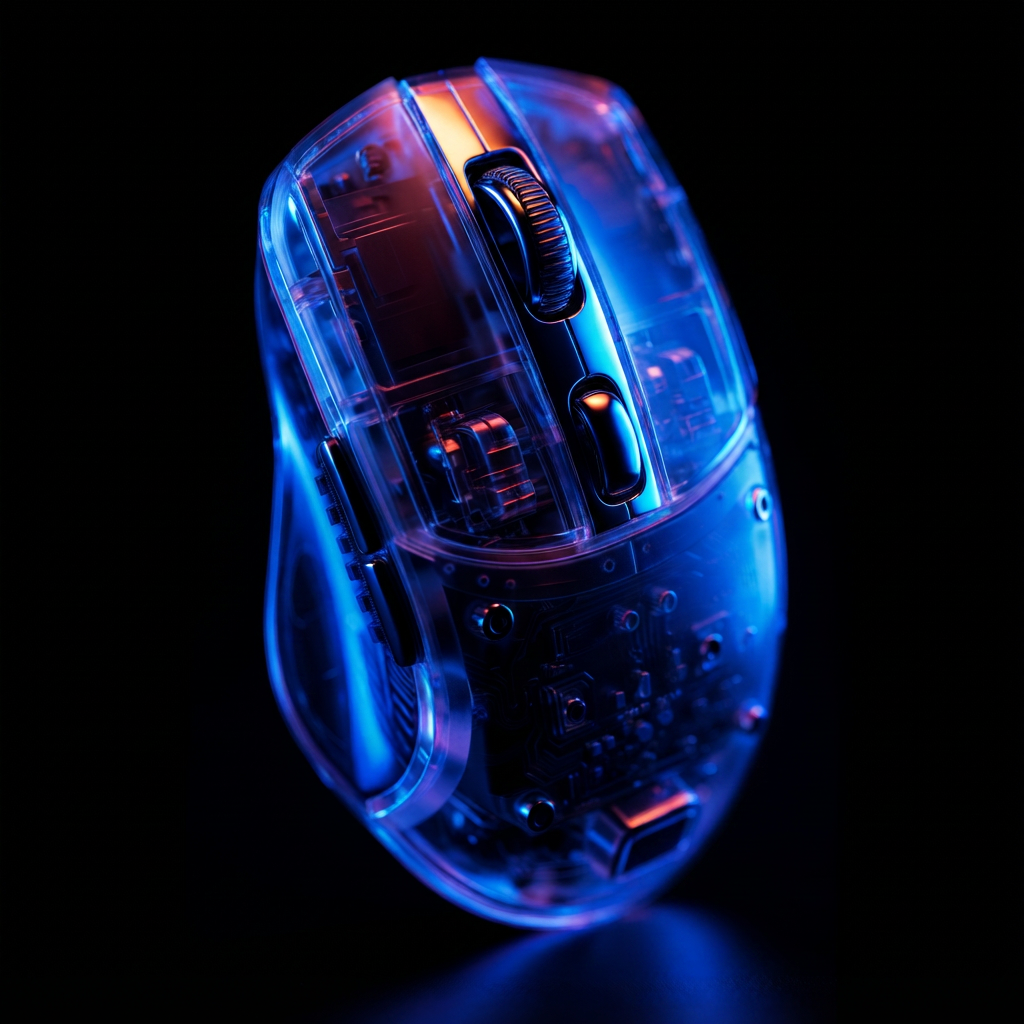 - скачайте изображение по умолчанию или используйте своё.
Загрузки моделей (I2V)
| Компонент | Файл | Назначение |
|---|---|---|
| Diffusion model | minimax_h3_fl2va_pruned_int8_convrot.safetensors | ComfyUI/models/diffusion_models/ |
| Text encoder | qwen3vl_32b_minimax_h3_nvfp4_awq.safetensors | ComfyUI/models/text_encoders/ |
| VAE | minimax_h3_video_vae_fp16.safetensors | ComfyUI/models/vae/ |
| VAE | minimax_h3_audio_vae_fp32.safetensors | ComfyUI/models/vae/ |
Хранение моделей (I2V)
Та же структура, что и в рабочем процессе T2V (diffusion model FL2VA + text encoder NVFP4 + оба VAE).
Советы по промптингу (I2V)
- Ключевые кадры: входы
first_frameиlast_frameнеобязательны; модель генерирует движение между ними - Промпт: опишите кадры, движение и сопровождающее аудио (диалоги, SFX, музыка) одним блоком
- Длительность: привязывается к сетке из 17 кадров на блок (17k+5) при 24 FPS
3. MiniMax H3 Reference-to-Video (R2V)
Генерируйте видео, в которых персонаж, стиль, движение, движение камеры или голос задаются любой комбинацией референсных изображений, видео и аудио.
Референсные изображения:
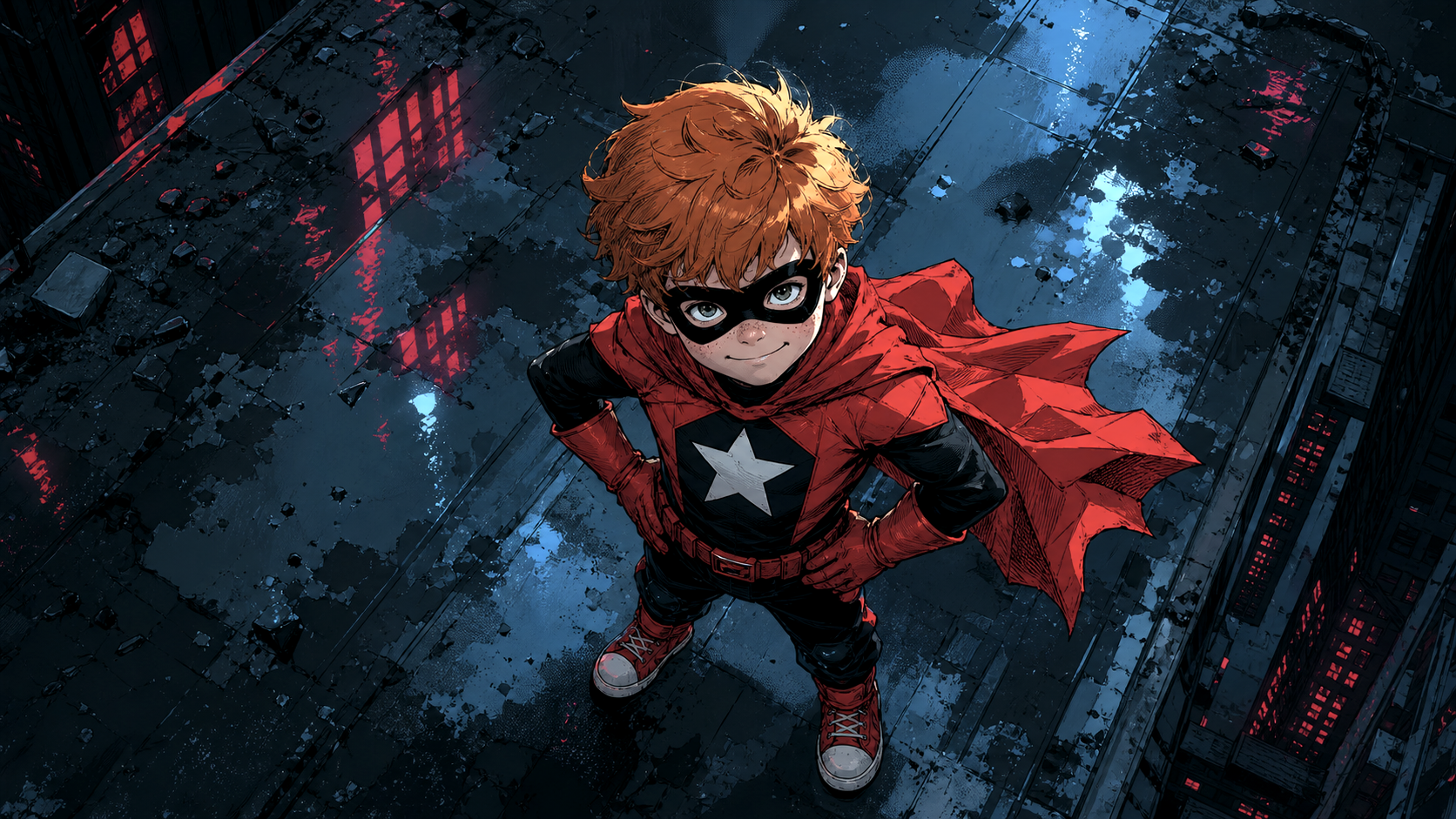
Референс персонажа для рабочего процесса или используйте собственное изображение.

Референс стиля и объекта для рабочего процесса или используйте собственное изображение.
Загрузки моделей (R2V)
| Компонент | Файл | Назначение |
|---|---|---|
| Diffusion model | minimax_h3_ref2va_pruned_int8_convrot.safetensors | ComfyUI/models/diffusion_models/ |
| Текстовый энкодер | qwen3vl_32b_minimax_h3_nvfp4_awq.safetensors | ComfyUI/models/text_encoders/ |
| VAE | minimax_h3_video_vae_fp16.safetensors | ComfyUI/models/vae/ |
| VAE | minimax_h3_audio_vae_fp32.safetensors | ComfyUI/models/vae/ |
Хранение моделей (R2V)
ComfyUI/
├── 📂 models/
│   ├── 📂 diffusion_models/
│   │   └── minimax_h3_ref2va_pruned_int8_convrot.safetensors
│   ├── 📂 text_encoders/
│   │   └── qwen3vl_32b_minimax_h3_nvfp4_awq.safetensors
│   └── 📂 vae/
│       ├── minimax_h3_video_vae_fp16.safetensors
│       └── minimax_h3_audio_vae_fp32.safetensors
Советы по промптам (R2V)
- Референс по тегу: ссылайтесь на каждый вход по тегу в точном порядке его подключения, например
<Picture 1>,<Video 1>,<Audio 1> - Назначьте каждому референсу задачу: укажите, какой референс отвечает за какую часть кадра (внешность, стиль, движение, камера, голос); явные назначения работают намного лучше
- Ограничения: до 9 референсных изображений, 3 референсных видео (каждое может нести собственную звуковую дорожку) и 3 отдельных референсных аудиоклипа
- ref_image_size:
matchуменьшает референсы до разрешения генерации ради скорости;maxсохраняет короткую сторону вплоть до 2048 px для более точной передачи внешности ценой скорости - Сэмплер:
res_multistepс планировщикомbetaилиnormal, как правило, даёт лучший результат, чемsimple, для промптов с большим количеством референсов - Примечание: R2V использует diffusion-модель
ref2va, это другой набор весов, отличный от моделиfl2va, применяемой в T2V и I2V
Рабочие процессы с API
Ещё три официальных шаблона вызывают API MiniMax вместо локального выполнения:
| Шаблон | Режим |
|---|---|
| api_minimax_h3_t2v.json | API: текст в видео |
| api_minimax_h3_r2v.json | API: ссылка в видео |
| api_minimax_h3_flf2v.json | API: первый/последний кадр в видео |
Устранение неполадок
ComfyUI-MiniMaxH3-Cache. Эта пользовательская нода глобально изменяет (monkey-patch) код модели MiniMax H3, что может сломать генерацию H3 (или сам ComfyUI) после обновлений, даже если нода никогда не используется. См. lihaoyun6/ComfyUI-MiniMaxH3-Cache#4. Если она у вас уже установлена, удалите её из custom_nodes/ и перезапустите ComfyUI.
В: ComfyUI не показывает ноды MiniMax H3
Обновите ComfyUI до версии 0.30.0 или более поздней. Нативная поддержка добавлена в Comfy-Org/ComfyUI #15224 3 августа 2026 года. Обновления Desktop и Cloud следуют за стабильными релизами, поэтому некоторые функции, доступные в ночных сборках, могут быть ещё недоступны.
В: Не хватает памяти / высокое потребление VRAM
- Используйте pruned INT8 диффузионную модель (19,5 ГБ) вместо bf16
- Используйте NVFP4 AWQ текстовый энкодер (14,6 ГБ), который работает на любой GPU
- Уменьшите разрешение в ноде Выбор разрешения (меньше мегапикселей) и сократите длительность
- Динамическая система VRAM в ComfyUI и block swap помогают на машинах с достаточным объёмом системной RAM
В: Генерация срывается на 256p или очень низких разрешениях
У H3 минимальное разрешение составляет 384p. 256p полностью не работает. Используйте пресеты разрешения из официального шаблона.
В: В выходном видео нет аудио
Убедитесь, что загружены оба VAE: minimax_h3_video_vae_fp16.safetensors (видео) и minimax_h3_audio_vae_fp32.safetensors (аудио), а также что рабочий процесс включает ноду VAEDecodeAudio, прикреплённую к SaveVideo.
В: Какой checkpoint использовать для image-to-video?
Используйте checkpoint FL2VA для T2V и I2V (первый кадр, последний кадр или оба). Используйте checkpoint Ref2VA, когда нужна генерация на основе полных референсов (идентичность, стиль, голос).
В: Куда сообщать об ошибках?
- Ошибки времени выполнения: ComfyUI/issues
- Проблемы интерфейса: ComfyUI_frontend/issues
Советы по производительности MiniMax H3
Проверенные сообществом настройки для более быстрой генерации с официальными рабочими процессами:
- Сэмплер и планировщик:
res_multistepс планировщикомsimpleна 20 шагах: широко используемая базовая настройка для T2V и I2V. Меньшее число шагов экономит время, но качество заметно падает ниже примерно 15 шагов. Увеличение до 25 шагов даёт немного лучшее содержимое изображения и движение, но требует больше времени на генерацию. - Sage attention: запускайте ComfyUI с
--use-sage-attention(встроено, пользовательские ноды не нужны). Сообщество сообщает об ускорении генерации примерно до 2 раз на GPU среднего класса, с убывающей отдачей по мере роста разрешения; результаты зависят от GPU. - Разрешение: держите Выбор разрешения около 0.4 MP (например, 768x512) для быстрых черновиков. H3 работоспособен на своём минимуме 384p, а это намного ниже, чем требовали предыдущие видеомодели.
- Закреплённая память: в ComfyUI 0.30.x регрессия закреплённой памяти может сделать загрузку модели очень медленной. Запуск с
--disable-pinned-memory, по сообщениям, восстанавливает быструю загрузку и значительно сокращает время генерации в некоторых конфигурациях.
Квантованные модели MiniMax H3 от сообщества
Квантованные версии diffusion-чекпойнтов MiniMax H3 от сообщества, загружаемые в стандартный ComfyUI. Это сторонние конверсии, а не официальные релизы MiniMax или Comfy-Org; сведения о лицензии и качестве смотрите в README каждого репозитория.
INT8
| Модель | Примечания |
|---|---|
| DmitryDB/MiniMax-H3-INT8-Lean-ConvRot | Ориентированный на качество INT8 Lean ConvRot, FL2VA и Ref2VA примерно по 20,9 ГиБ каждый; задуман как первый кандидат для GPU с 24 ГБ |
| Gluttony10/MiniMax-H3-INT8-CONVROT | INT8 convrot FL2VA и Ref2VA, а также аудио/видео VAE и текстовый энкодер Qwen3-VL INT8 |
INT4
| Модель | Примечания |
|---|---|
| Merserk/MiniMax-H3-INT4-ConvRot | Pruned FL2VA и Ref2VA по 11,3 ГБ каждый, плюс текстовый энкодер INT4, ориентированы на GPU с 12 ГБ |
| tsolful/Minimax_H3_INT4MixedConvRot | Смешанной точности INT4 FL2VA, с вариантами balanced (INT4BQ) и quality (INT4Q) |
NVFP4
| Модель | Примечания |
|---|---|
| rockerBOO/minimax-h3-nvfp4 | Варианты NVFP4 и Pruned INT4 convrot FL2VA |
| lilcheaty/MiniMax-H3-NVFP4 | Варианты NVFP4 FL2VA и Ref2VA, включая чекпойнты смешанной точности |
| ModelsLab/MiniMax-H3-ref2va-NVFP4 | Чекпойнт Ref2VA NVFP4 для референсного рабочего процесса |
FP8
| Модель | Примечания |
|---|---|
| rzgar/minimax_h3_fl2va_fp8_e4m3fn | FP8 E4M3FN FL2VA; автор сообщает об оптимальном режиме при 8 шагах с dpmpp_2m / sgm_uniform |
Комментарии
Войдите через GitHub, чтобы участвовать в обсуждении.